Timur Sibatov LinkedIn ↗

Senior Technical Artist · Wargaming

TimurSibatov

Worldbuilding tools, real-time simulation, performance and asset pipelines. I make worlds that look right and hold their frame budget.

I build the tools, simulations and measurements that let artists ship worlds — and I document them so the team can work without waiting on me.

15/15character assets in World of Tanks: HEAT built through the pipeline I designed
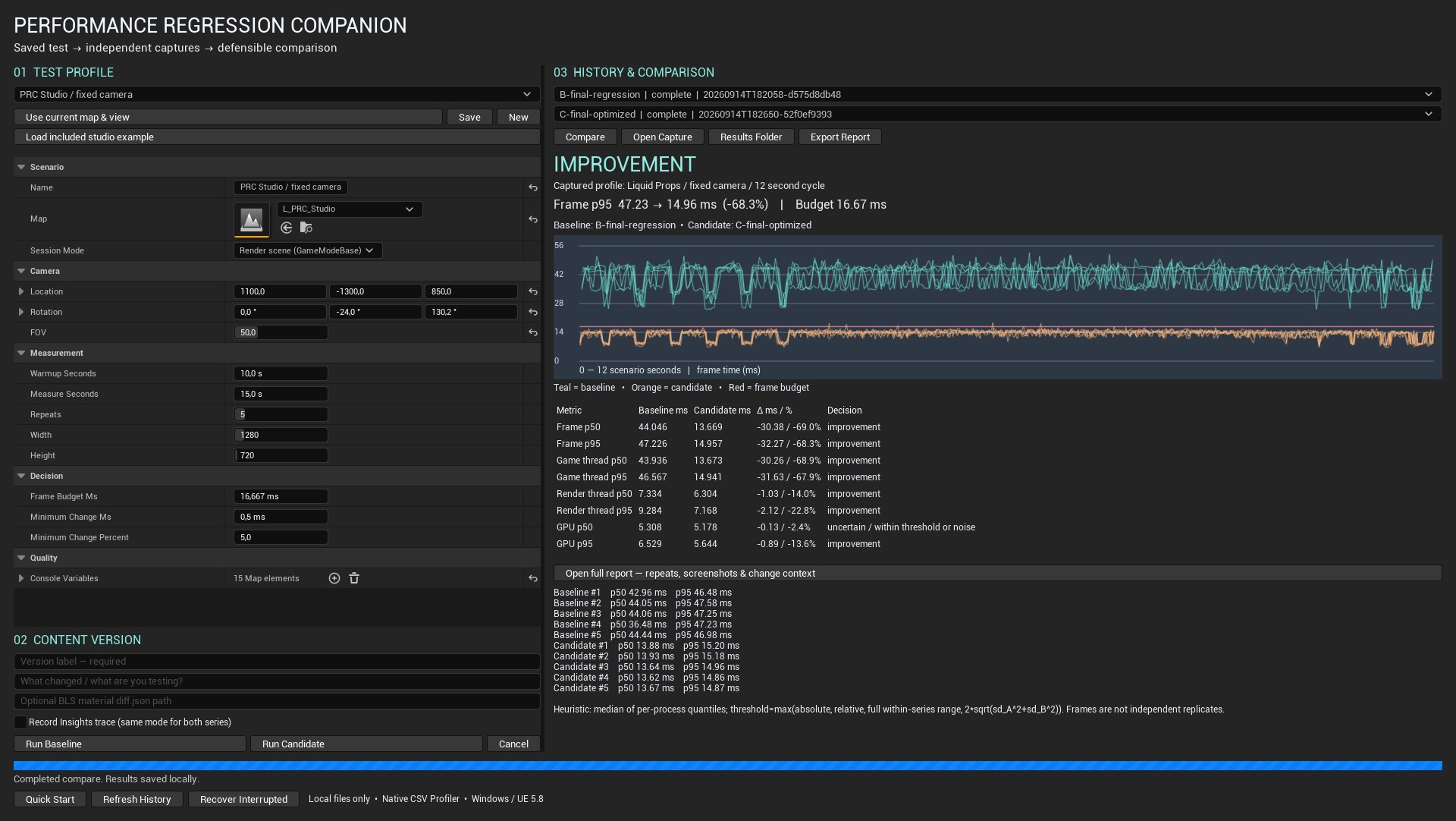
−68%frame p95 after a regression my profiling tool localized
8Unreal Engine 5.8 tools and plugins built end to end
1live-service game shipped: World of Tanks: HEAT, May 2026
Next
World of Tanks Modern Armor (console)
Engines
Unreal Engine 5, Wargaming proprietary
Code
Python (Maya API, Unreal), C++, HLSL
DCC
Maya, Blender
Based
Belgrade, Serbia · open to relocation
Contact
LinkedIn · ArtStation

The moving lines behind this text are a GLSL shader written for this page. They react to the cursor and stop rendering off-screen.

01

Worldbuilding · simulation · Unreal Engine 5.8 plugin

Water Dynamics

Rivers, lakes and waterfalls that respond to what is in them. Rocks change the flow, and the flow moves the surface, the foam and the wet line on the banks.

  • C++
  • HLSL
  • Shallow-water solver
  • Single Layer Water
  • Python
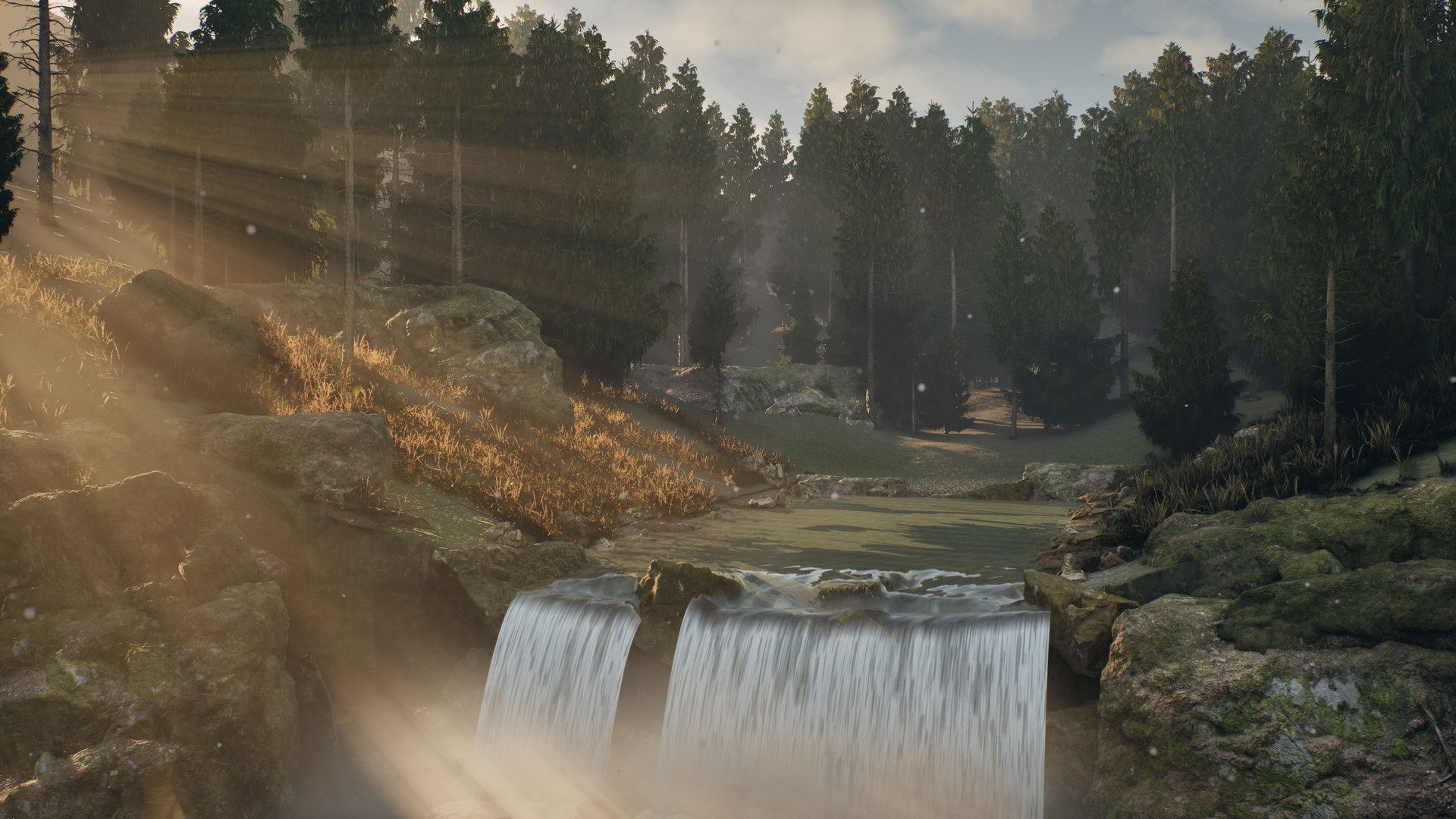
Gorge at golden hour, 31 s. Low back light through the spruce canopy, volumetric shafts, spray that glows against the sun, and the live river and waterfalls underneath. Rendered in Unreal at 3840×2160 at the highest quality settings, at a fixed 30 Hz simulation step, joined with dissolves only, so it is not a frame-rate measurement. Sound: CC0 field recordings of a mountain torrent, a small waterfall and a forest brook (BigSoundBank), mixed per shot with birds and soft wind.
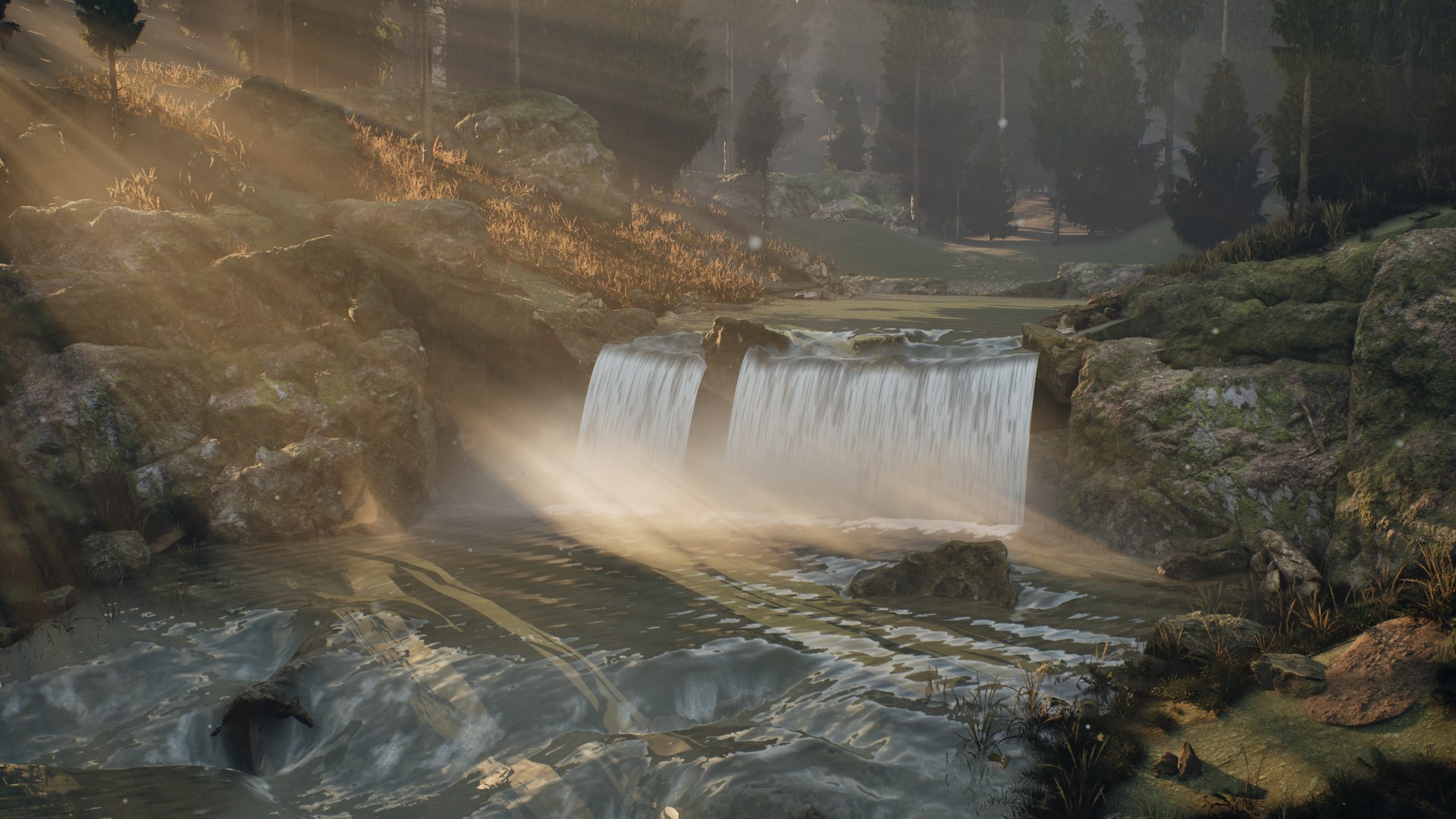
Rapids leading to twin waterfalls under low sun shafts
Rapids into the falls: foam forms behind obstacles and where the current shears, advected by the solved velocity.
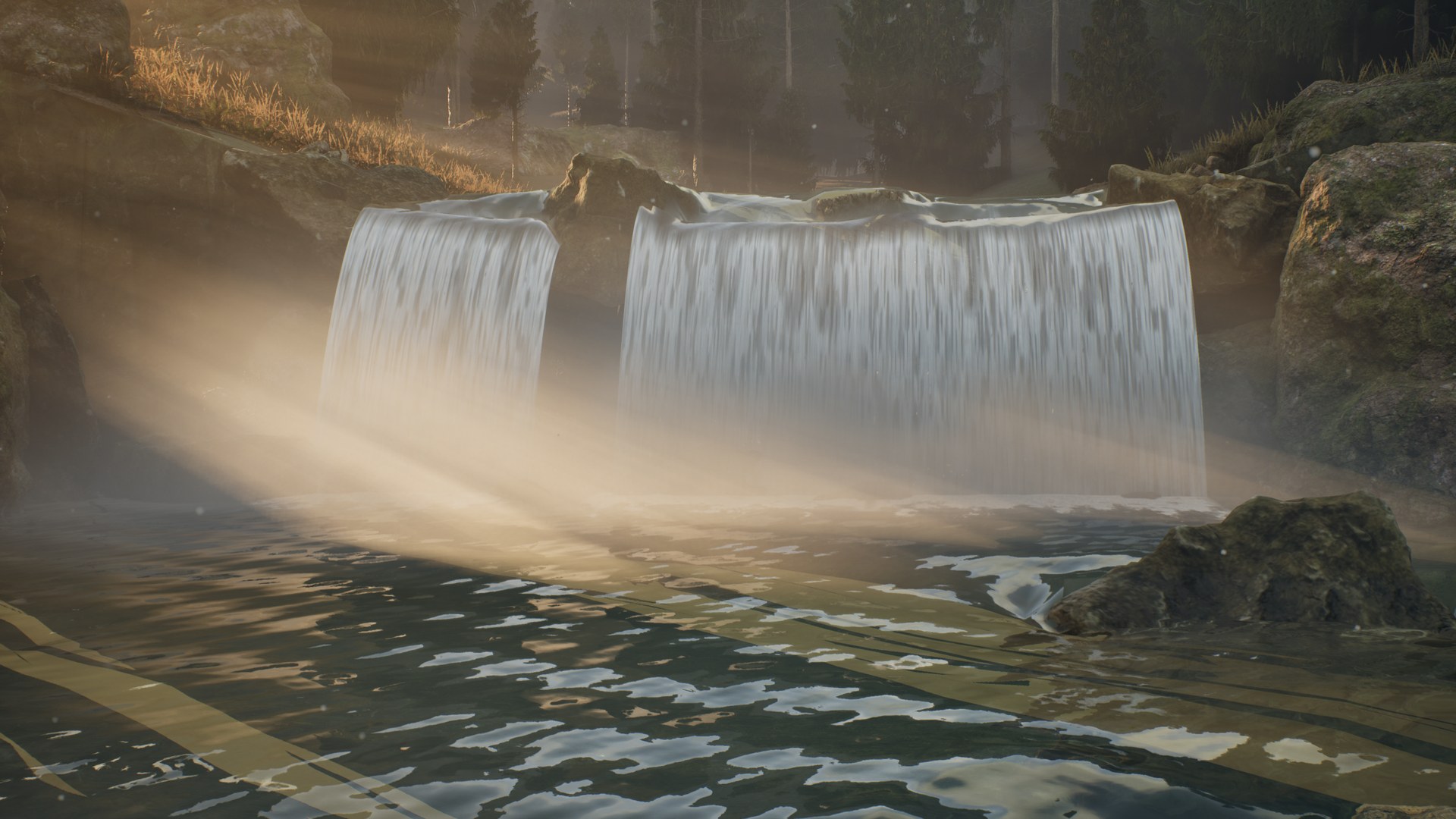
Twin waterfalls with glowing spray at the landing
Landing: glassy tongues at the lip, aerated white water below, and spray that scatters the back light.
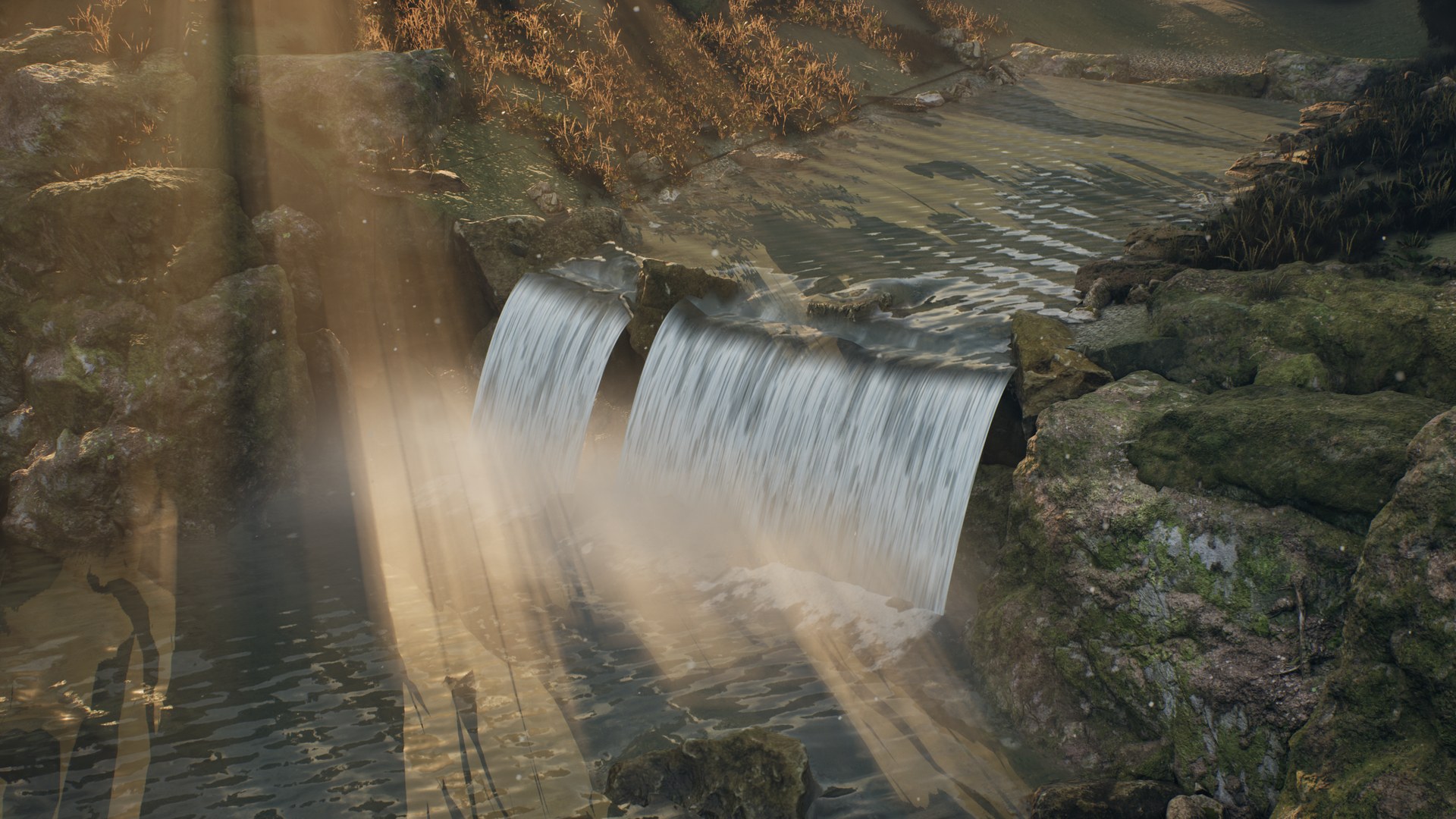
High view of the pool and falls crossed by light shafts
From above: the upper river feeds the falls; the pool keeps its depth absorption and reflections.
Earlier build (0.6): a test rock is switched on in a running river. Flow, foam and surface detail re-route around it. One unedited take.
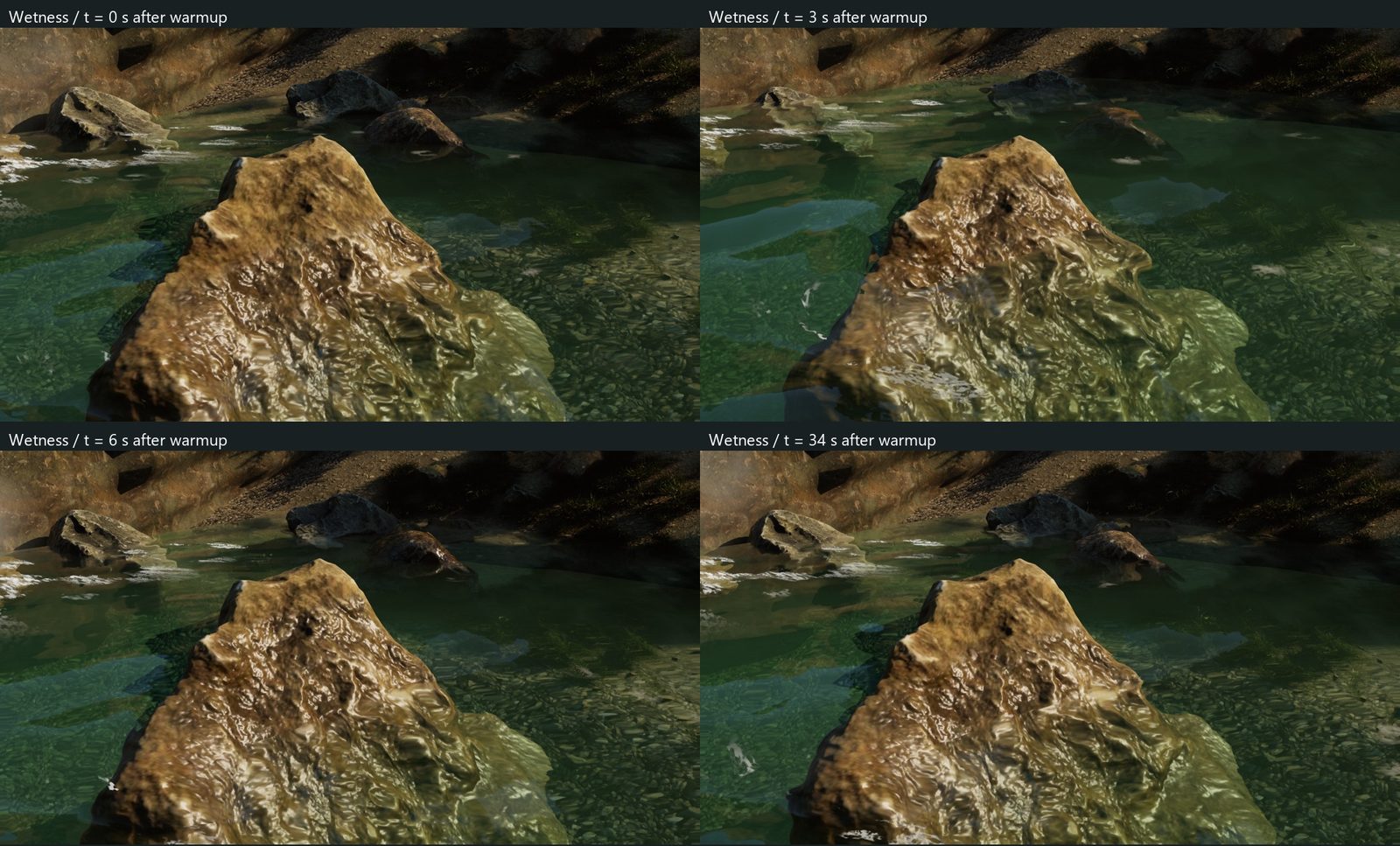
Four frames of a boulder whose wet band follows the water level up and down
Wet line: the river level is raised 55 cm and lowered again. The wet band on the rock follows the water and dries over time.
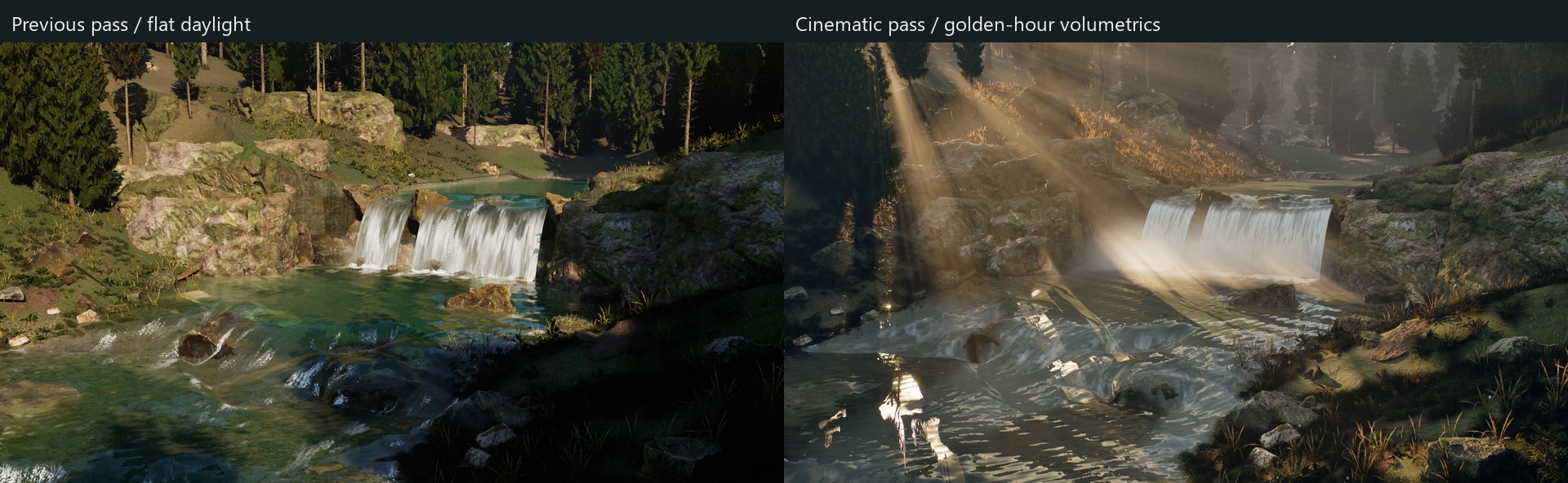
Left: the gorge in flat daylight. Right: the same camera in the golden-hour cinematic pass
Same camera, same simulation: the earlier daylight pass and the cinematic pass (light, volumetric fog, water and foam shading).

Problem

River surfaces are usually driven by a hand-painted flow map. It looks right until someone moves a rock, and then the art and the flow disagree.

Approach

  • A spline defines the channel. A depth-averaged finite-volume shallow-water solver computes the flow (hydrostatic bed reconstruction, CFL substeps, Manning friction).
  • Rock collision is written into the bed height map: exposed rocks split the current, submerged rocks make it shallower.
  • The solved velocity drives ripples, advected foam and buoyancy, so one field feeds every visual layer.
  • Waterfalls are gravity sheets with momentum forcing into the pool. Stone impacts add a wave packet, a splash crown, a rebound jet and droplets.
  • Single Layer Water optics: IOR and Fresnel, depth absorption, refraction and approximate caustics.
  • A wet-line material function follows the local water level, so banks and rocks darken where the water reaches and dry again over time.

For the artist

One panel creates a river, lake or waterfall. Width, depth and flow speed are in real units. The artist switches between realistic and stylized looks, picks a waterbed (rocky, sandy, silty, algae), sets turbidity, and saves the result as a look preset for other water bodies.

Scope: 2.5D surface flow inside a finite domain, not a 3D FLIP or SPH volume. Profiled in the editor at 1080p and not yet tuned to a shipping budget. Showcase scenery is Quixel Megascans via Fab, used in the demo only and not shipped with the plugin.

Built with
C++ runtime and editor modules, HLSL, Single Layer Water materials, Python scene assembly
Engine
Unreal Engine 5.8.2, DX12 SM6
Showcase
Gorge level assembled by Python scripts; golden-hour cinematic map with authored camera moves, plus daylight and stylized looks; captured at 1080p30
Version
1.0, UE 5.8 Win64, Fab release in preparation
Docs
Plugin documentation
02

Performance · Unreal Engine 5.8 tool

Performance Regression Companion

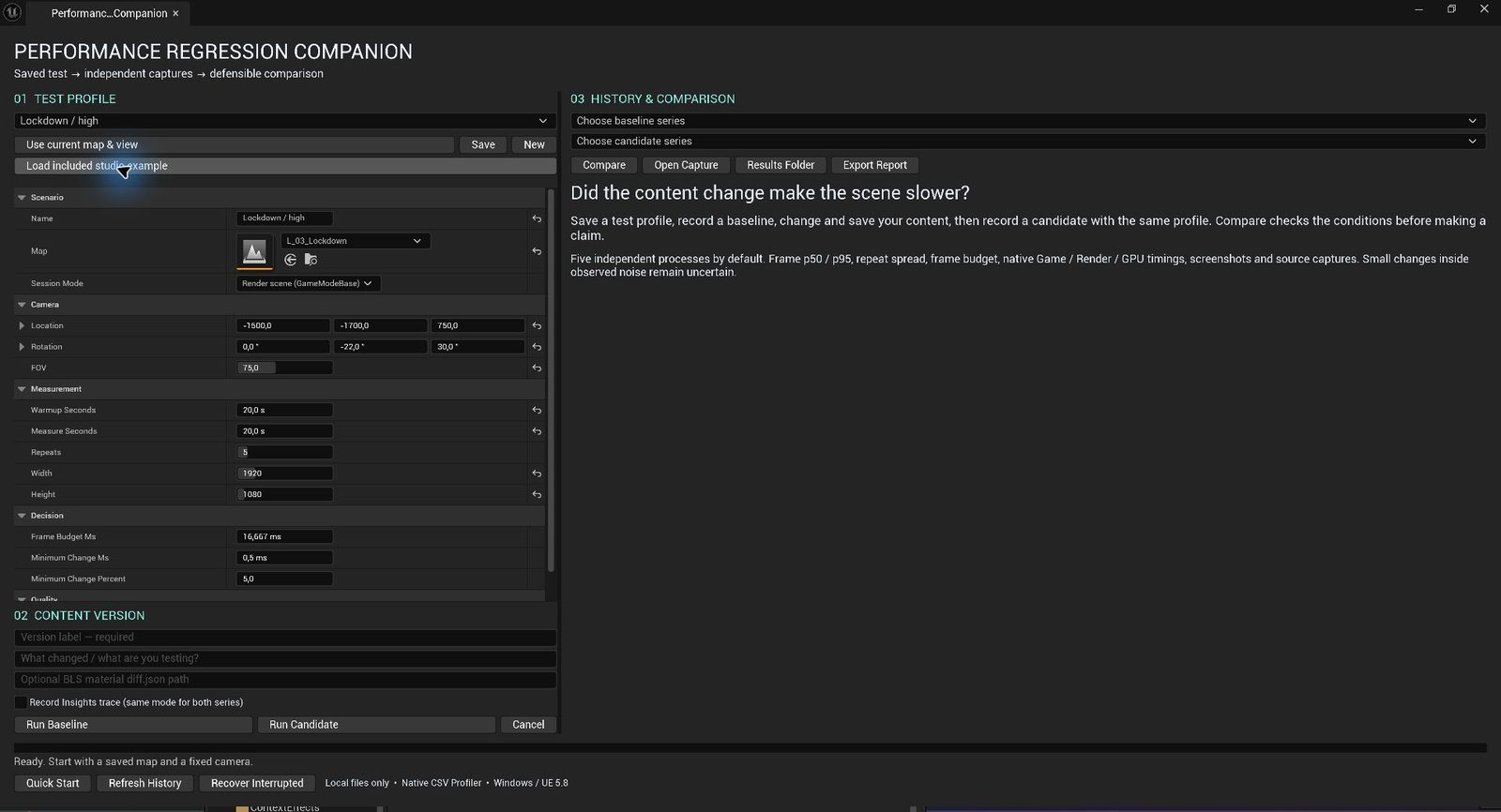
A repeatable answer to “did this content change make the scene slower?”

  • C++ / Slate
  • CSV Profiler
  • Python
  • Statistics
70-second walkthrough: save a test profile, capture a baseline, change the content, capture a candidate, compare.

Problem

Content changes are usually judged by watching the frame counter in the editor. Single runs are noisy, editor overhead varies, and two people can measure the same change and disagree.

Approach

  • A saved test profile fixes the map, camera, resolution, quality settings and frame budget.
  • Every repeat launches a separate Unreal process and records Epic's native CSV Profiler data. Unreal Insights traces are optional.
  • Five repeats per content version. The comparison checks engine, hardware, camera and settings before it makes a claim, and differences inside the observed noise stay marked as uncertain.
  • Results export as a portable HTML/JSON report with the raw captures, so a reviewer can check the analysis without Unreal.

Result

In a dense scene of liquid props, the captures localized game-thread time spent rebuilding foam meshes. Reducing that geometry detail brought frame p95 from 47.2 to 15.0 ms and game-thread p95 from 46.6 to 14.9 ms.

Built with
C++ editor module (Slate UI), Python comparison processor
Platform
Windows, D3D12, UE 5.8
Validation
24 automated tests, clean-project install, real baseline / candidate / cancel runs
Status
v1.0.1, packaged for Fab
Lyra Environment Lab: Epic's Lyra Expanse environment rebuilt as three test levels.

On real content

To exercise the workflow on a production-like scene, I rebuilt the Lyra Expanse environment (2,391 placed mesh components, 277 meshes, 21 materials) as three ordinary levels with 0, 12 and 48 added shadow-casting lights.

The 48-light setup exposed a Virtual Shadow Map packed-light overflow. Raising the per-pixel limit was not enough; the fix was to hold r.Shadow.Virtual.OnePassProjection=0 identical across baseline and candidate, as a correctness choice rather than an optimization.

Measurements on this scene are still in progress. No speed-up is claimed for it.

03

Worldbuilding · artist-facing tool

Weather Dynamics

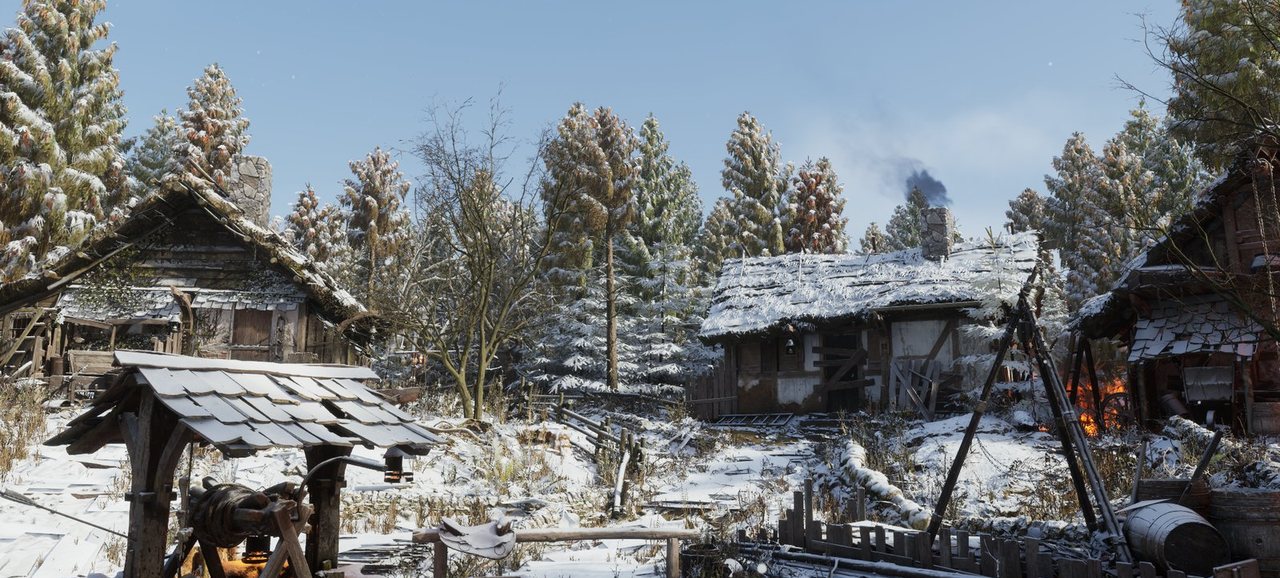
Four seasons on one camera, switched live in the level. Snow, rain and leaves build up on real geometry, and the light changes with them.

  • C++
  • Materials
  • Particles
  • Volumetric clouds
  • Editor UI
One take, 12 seconds. Sun, fog, clouds, exposure, wetness, snow and foliage all change inside the scene: no cuts, no crossfades.
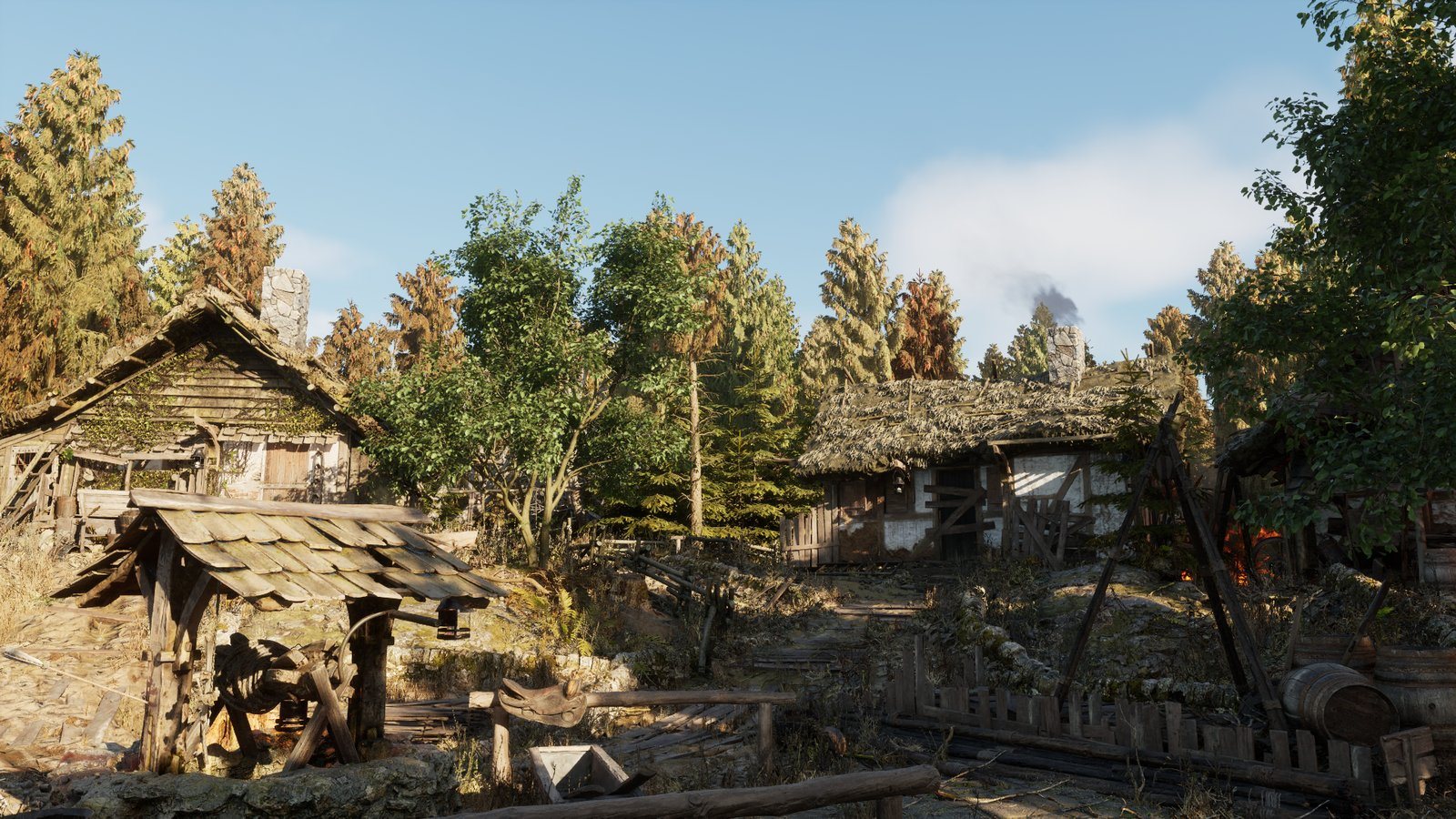
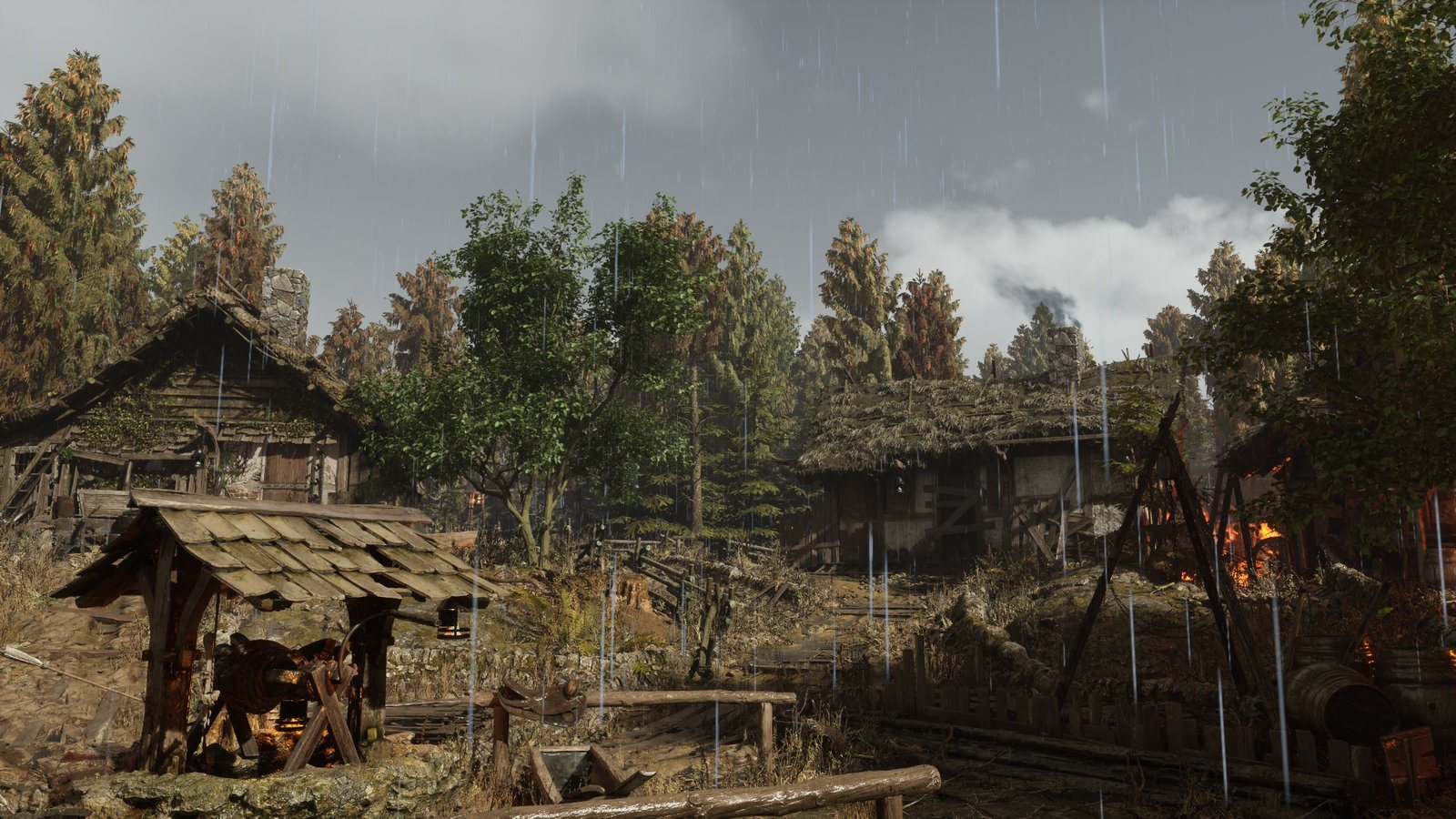
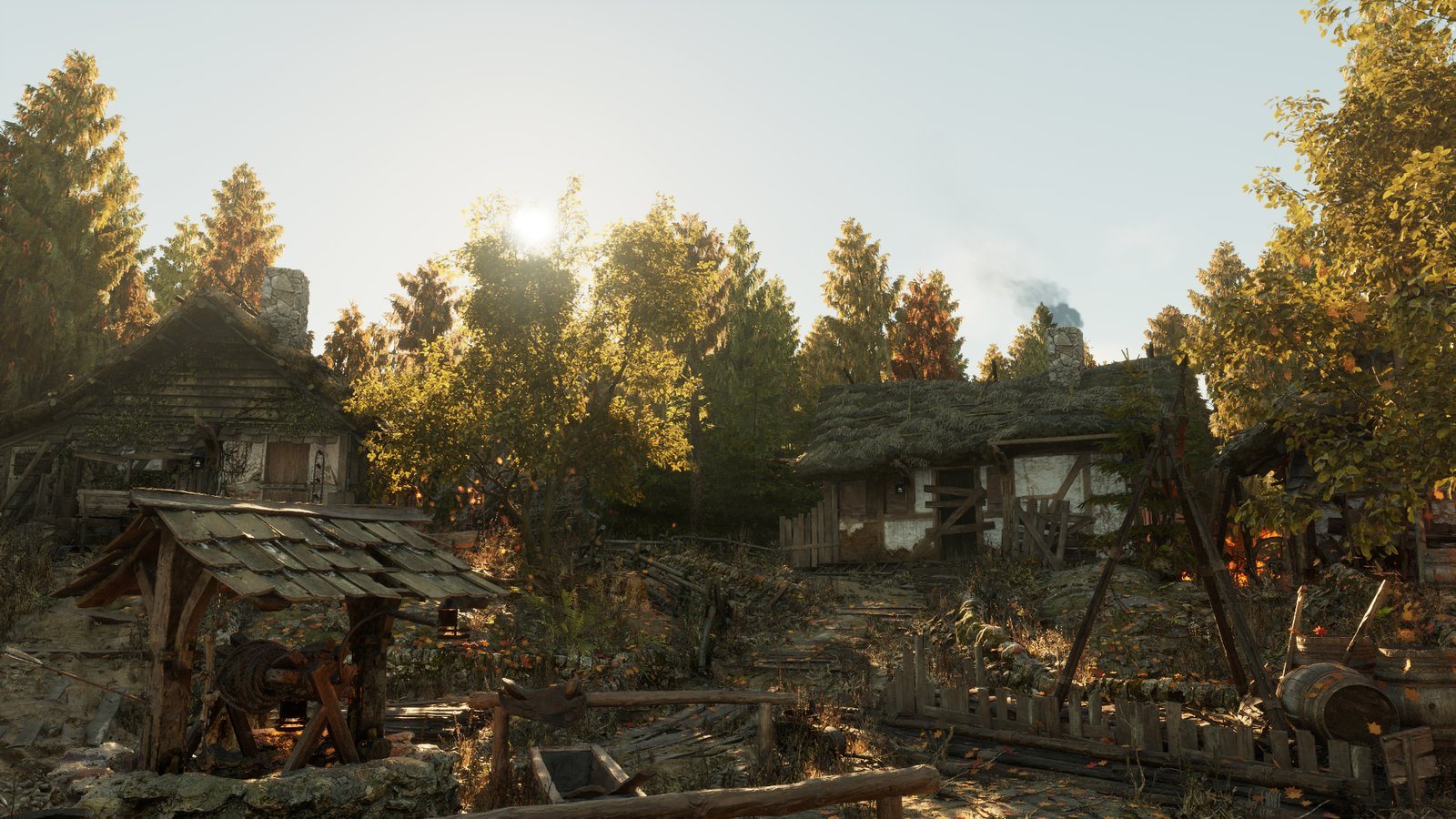
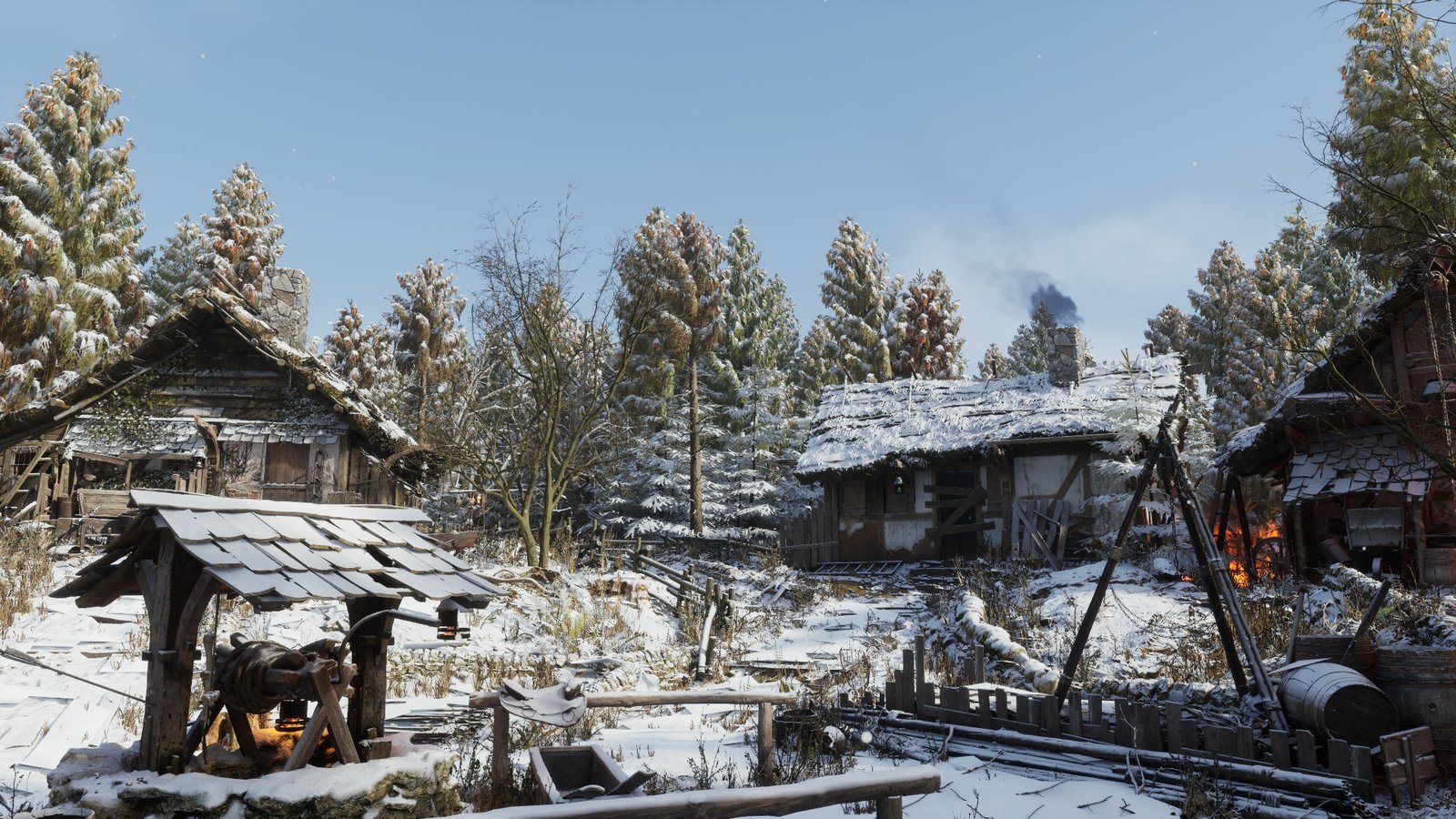
Village square in clear weather The same view in rain The same view in autumn, backlit by a low sun The same view covered in snow
Same camera, four native captures, no retouching. Drag across the image to change the weather.
Snow builds up on the thatch: accumulation on real geometry, time-lapsed.
Leaves fall from each hornbeam's own crown and settle on the ground.
Rain at ground level: wet stone, puddles from a concavity mask, ripples.
Weather Studio, real editor capture: empty level, preset, live preview, snow on the floor.
≤0.8msGPU cost of any season over the clear scene, 1080p Epic
−1.7msGPU time with the game-quality profile in clear and rain
40profiling runs: five per season, before and after optimization

Problem

Weather systems are often owned by an engineer, and adding one to a lit level tends to replace its sky and exposure. Artists need presets, a live preview and safe defaults.

Approach

  • One editor panel with three setup modes: weather only, clouds only, or both. Existing lighting is preserved; adding missing lighting is an explicit action.
  • 12 weather presets and 8 cloud looks stored as reusable data assets, with four quality tiers.
  • Rain, snow and autumn leaves accumulate on surfaces through finite heightfield patches, with a material function for receiver wetness.
  • Deep snow: a Character component leaves body troughs, footprints and raised banks that persist and refill under snowfall.

Showcase at production quality

  • Integrated into an existing lit level without touching its source map. Per-season presets own the sun, fog, clouds and exposure, and the level's own time-of-day logic is held off, so one system drives the light.
  • Added hornbeams as broad-leaf sources, kept the conifers dropping needles, and built puddles from a concavity mask of the accumulation field.
  • Accepted every still by histogram before capture: no crushed blacks, a minimum contrast range, and a blue sky for Clear.
  • Isolated a snow-bridging artifact between neighbouring objects, capped the surface step for the showcase and specified the algorithm fix for the plugin.

Measured

Performance Regression Companion, five runs per configuration, 40 in total, at 1080p Epic on an RTX 5070 Ti Laptop GPU. Rain and snow cost no more GPU time than the clear scene, and autumn leaves at most 0.8 ms. A game-quality profile cut 1.7 ms of GPU time in clear and rain, beyond run-to-run noise.

Scope: finite static patches. No automatic Landscape binding, open-world coverage or network replication yet. Demo scene: Epic's Medieval Village Megascans sample; trees: Quixel's European Hornbeam. Neither ships with the plugin.

Built with
C++ runtime and editor modules, materials, Blueprint API
Validation
Editor, Development and Shipping builds; clean consumer project; packaged maps launched; 12 automation tests
Measured on
UE 5.8.2, RTX 5070 Ti Laptop GPU, 1920×1080, Epic
Version
1.2.0, UE 5.8
04

Production · World of Tanks: HEAT

Character pipeline

I designed the game's character pipeline from scratch: the asset standard, the import tools, the validation and the handbook. All 15 character assets in the project are built through it.

  • C++
  • Maya
  • Python / OpenMaya
  • Validation
  • Documentation
  1. Maya sceneNaming, UV, history and skinning checks in the DCC, with select-and-fix.
  2. Art importThe Character Generator turns one FBX into meshes, derived materials, slots and every prefab variant.
  3. Animator reimportSkeleton and skinning land on the same asset. Nothing generated is lost.
  4. One animation graphOne graph per hero instead of four, shared by lobby and post-battle with a common parameter contract.
  5. Validate and reviewEngine rules, an Asset Zoo review world, and review by a programmer, a technical artist and QA.
15/15character assets in the game built through the generator
4→1animation graphs per character after unification
18vehicle platforms taken through export, LODs, collision and materials
93merged pull requests, and reviewer on 35 from others

Problem

Character content had grown without a shared standard. Folders, materials and prefab variants differed from hero to hero, lobby and post-battle used separate animation graphs, and setup was manual. Template paths and material rules were hard-coded in C++, so changing the setup meant engineering time.

Character pipeline

  • Asset standard. Base materials with inheritance rules, prefab templates for every supported game context, five customization slots, one folder structure and naming convention for heroes and skins.
  • Character Generator. Built on the engine's FBX importer; pre-import checks reject unsupported hierarchies. The second version moved templates, prefab variants and material rules from C++ into project settings, so artists change the setup themselves.
  • Unified Animation Graph. Four graphs per character became one, shared by the lobby and post-battle; the post-battle scene picks left, center and right poses through events.
  • Validation. Engine rules for character texture compression, cloth shader settings and materials reused across heroes.
  • Handbook. Eleven pages for artists, animators and QA, with checklists and a definition of done for each import phase.
  • Asset Zoo, with a teammate. A review world built on demand: heroes in selected styles, vehicles grouped by nation.

Maya tools, vehicles and VFX

  • Slider-based skinning tool, a batch Material Modifier in Python and C#, and validator checks for naming, UVs, history, duplicate polygons and vehicle orientation.
  • Fixed a Maya freeze in the character exporter by replacing a per-curve graph walk with a single upstream pass.
  • Vehicle validation rules for AO, compression, tiling and shading. Exhaust and damaged-track effects moved to multi-shape particle spawning: 4 → 2 emitters on a dual exhaust.

Production tools are internal, so this case has no screenshots. The engine importer, vehicle setup, customization framework and particle technology are team systems that I extended. Maya export, rigging and modeling tools and the validator framework are tools by Yuri Ruskevich, my mentor, shown with permission: I used them in production and extended them.
Game
World of Tanks: HEAT, live service since May 2026
Engine
Wargaming proprietary
Role
Senior Technical Artist
Content
11 heroes and 44 skins integrated, including seasonal and console-partner packs
05

Worldbuilding · procedural · Maya to Unreal

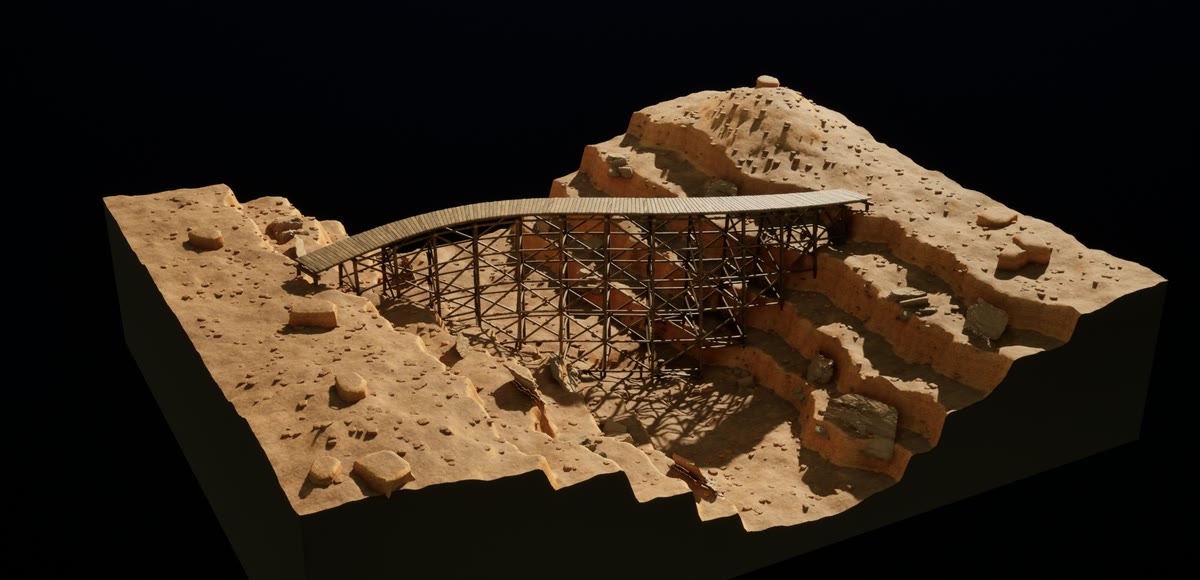
Trestle Bridge

Draw a path across a ravine, and the structure fits the terrain.

  • Maya API 2.0
  • PySide6
  • Procedural geometry
  • FBX → UE 5.8
36-second presentation: the path is shaped on the terrain, then length, deck width and support spacing change live, followed by timber and structure close-ups.
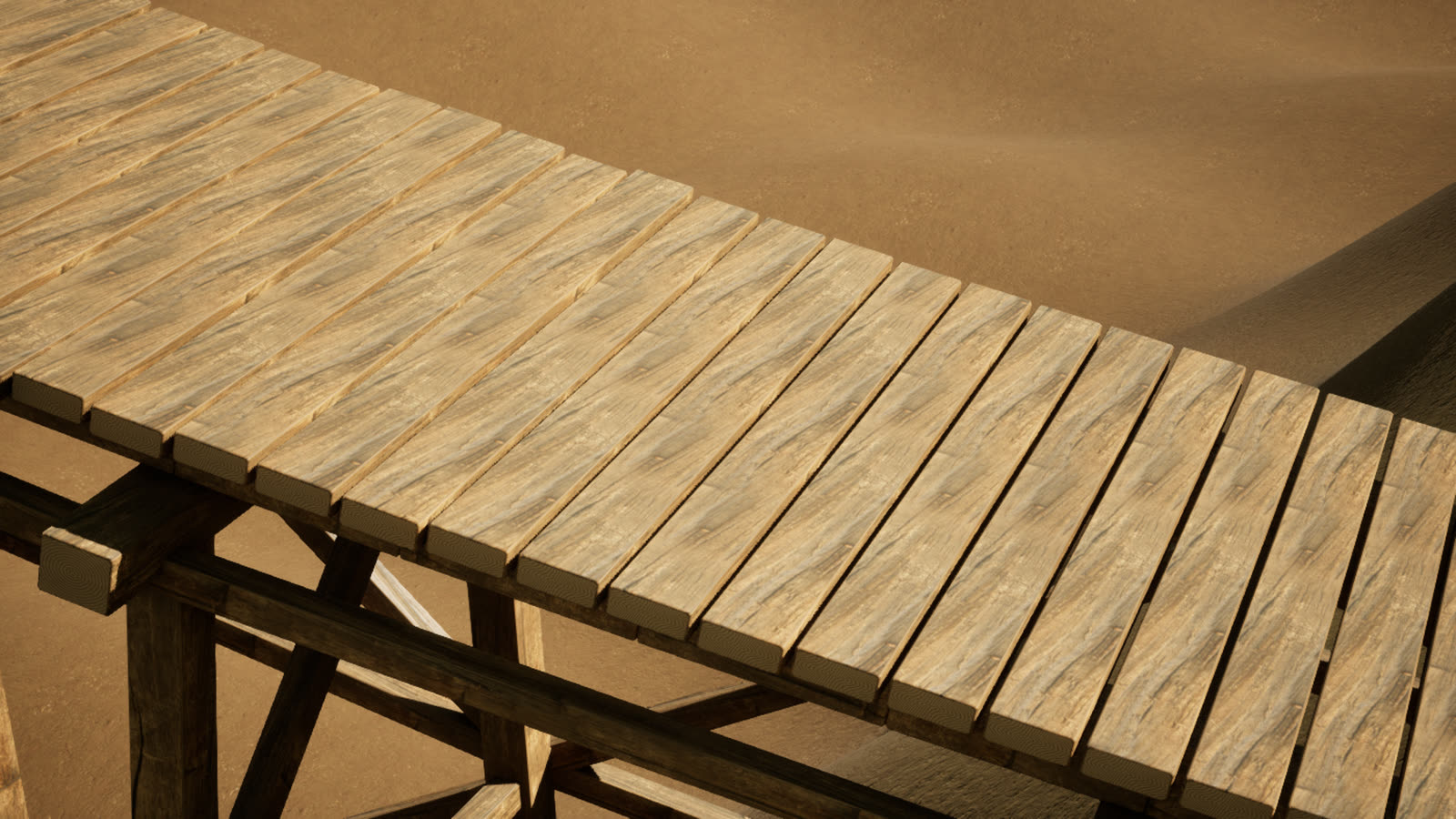
Close-up of the timber deck with varied boards
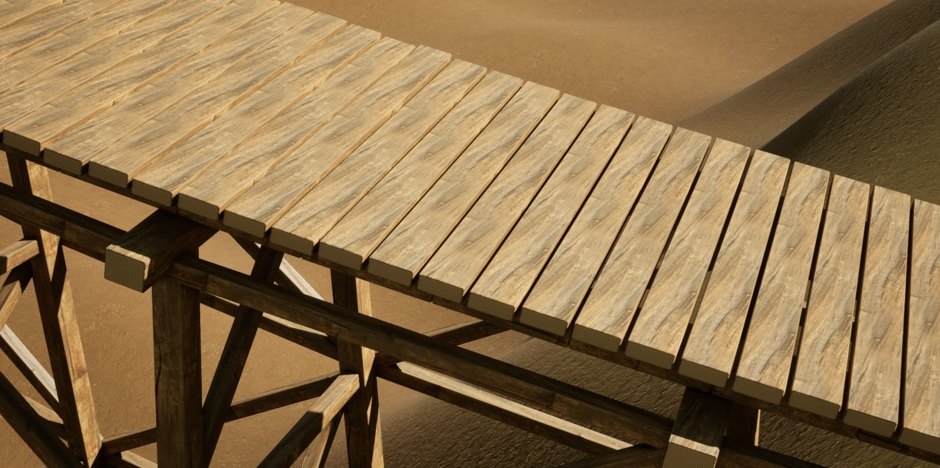
Decking: aligned grain, end grain and per-board variation from one material.
Bridge legs standing on the terrain
Feet: every leg is placed on the ground by a raycast against the terrain.
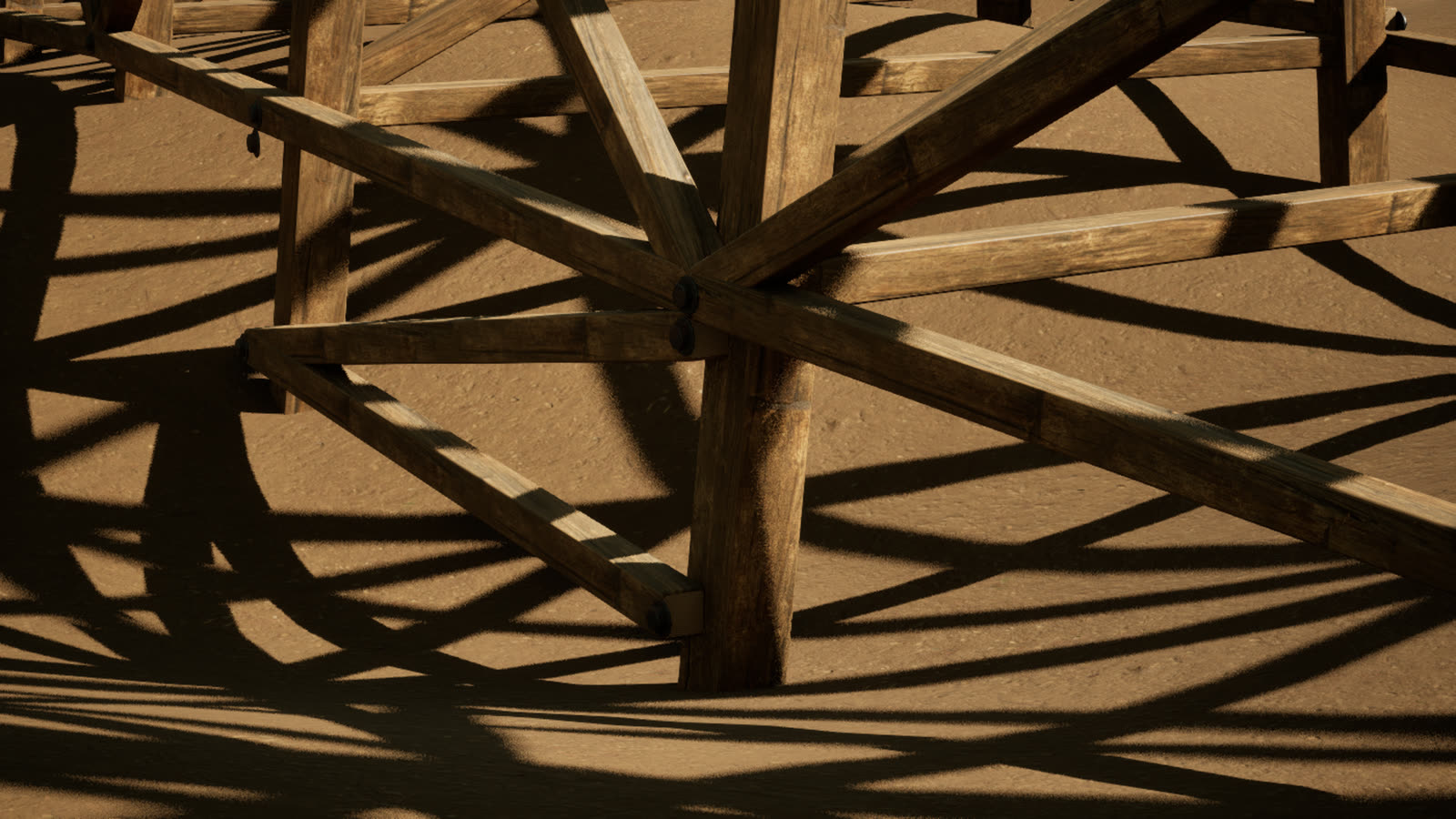
Cross bracing and joints seen from below
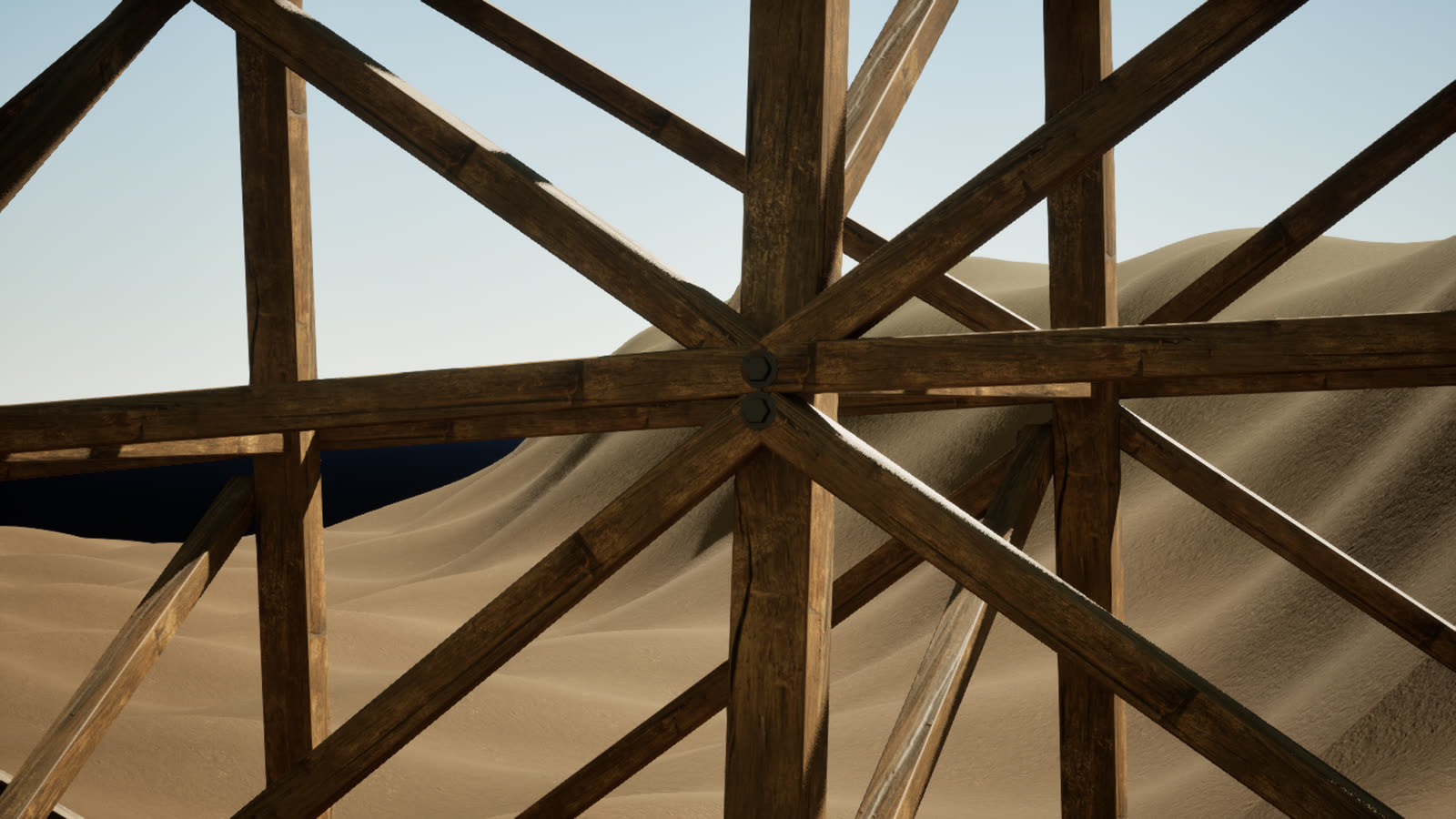
Joints: bracing, bevels and hardware generated with the frame.
Timber deck after the revision, with per-board variation Timber deck before the revision, every board identical BeforeAfter · per-board variation
Drag to compare. Neighbouring boards now sample different parts of the texture, with per-member tone, scale and roughness variation from one material.

Approach

  • A NURBS curve and a terrain mesh are the only inputs. Sliders set deck width, support spacing, tier height and path coverage; editing the curve rebuilds the structure and updates terrain contacts.
  • Bents are placed along the path and their legs find the ground with raycasts. When a raycast misses, the tool reports the location instead of hiding the gap, so the artist fixes the layout rather than the geometry.
  • Output is eight organized mesh batches (decking, stringers, frames, bracing, hardware), with custom component meshes and seeded presets.
  • Each member carries a vertex-colour payload as shader data, which gives the reference deck 158 distinct board variations without a material per board. Verified by reading the Unreal import back into Maya.

The live generator runs in Maya; Unreal receives baked static meshes. The video is an edited capture, not a real-time performance test.

Built with
Maya 2026, Python API 2.0, PySide6
Engine side
UE 5.8, FBX, Sequencer, Movie Render Queue
Checks
Geometry and construction suite, Maya DG checks, 24 component meshes validated in Unreal
Textures
Poly Haven, CC0; end grain and steel are procedural
06

Shaders · reverse engineering · Unreal Engine 5.8

Fortnite character materials, rebuilt

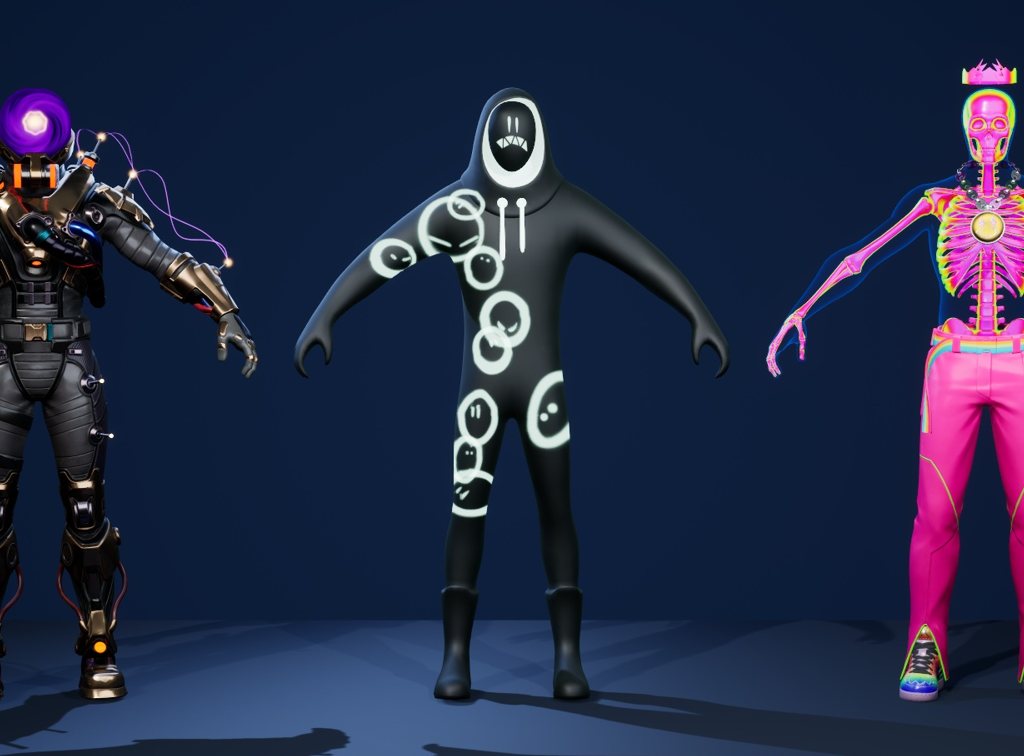
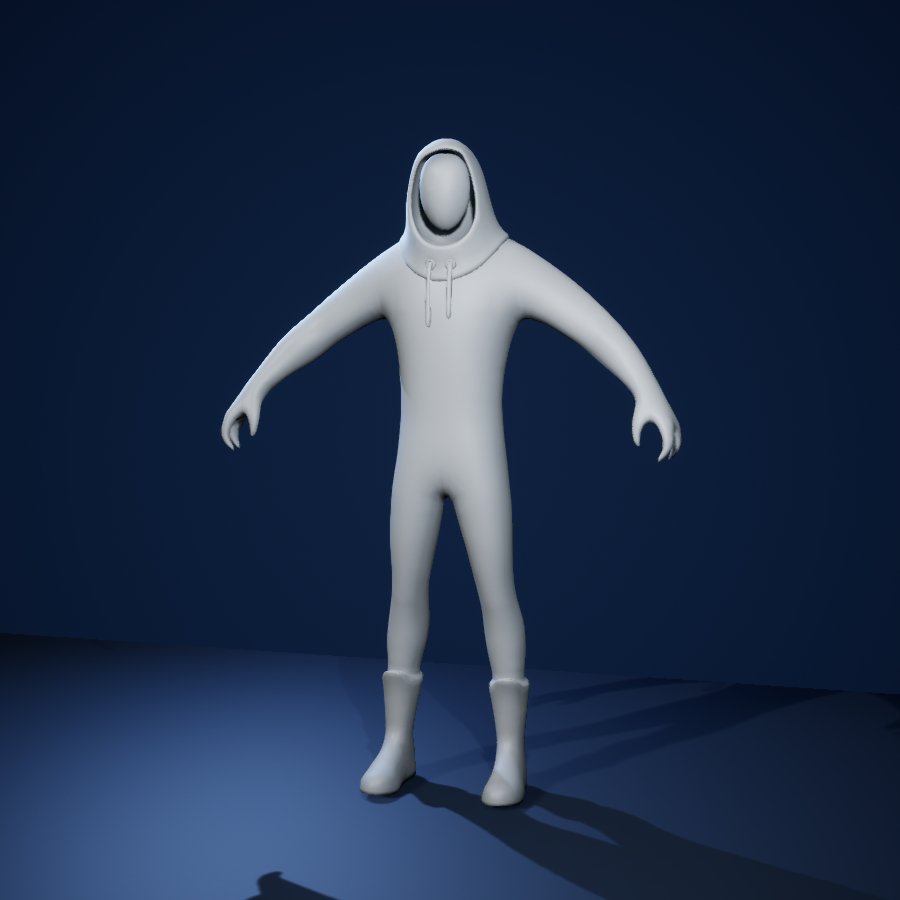
Three Fortnite outfits on their original game models. Meshes, UVs, vertex colours and textures come from the game files, but the material logic does not survive the export, so I rebuilt each effect from that data and from video references.

  • HLSL
  • Raymarching
  • Vertex-colour payloads
  • Custom stencil
  • Python
Cyclo, Grimey and Skeleton Balvin in one scene: a full turn while the material time runs. Original skeletal meshes in A-pose, rendered in Unreal Engine 5.8.
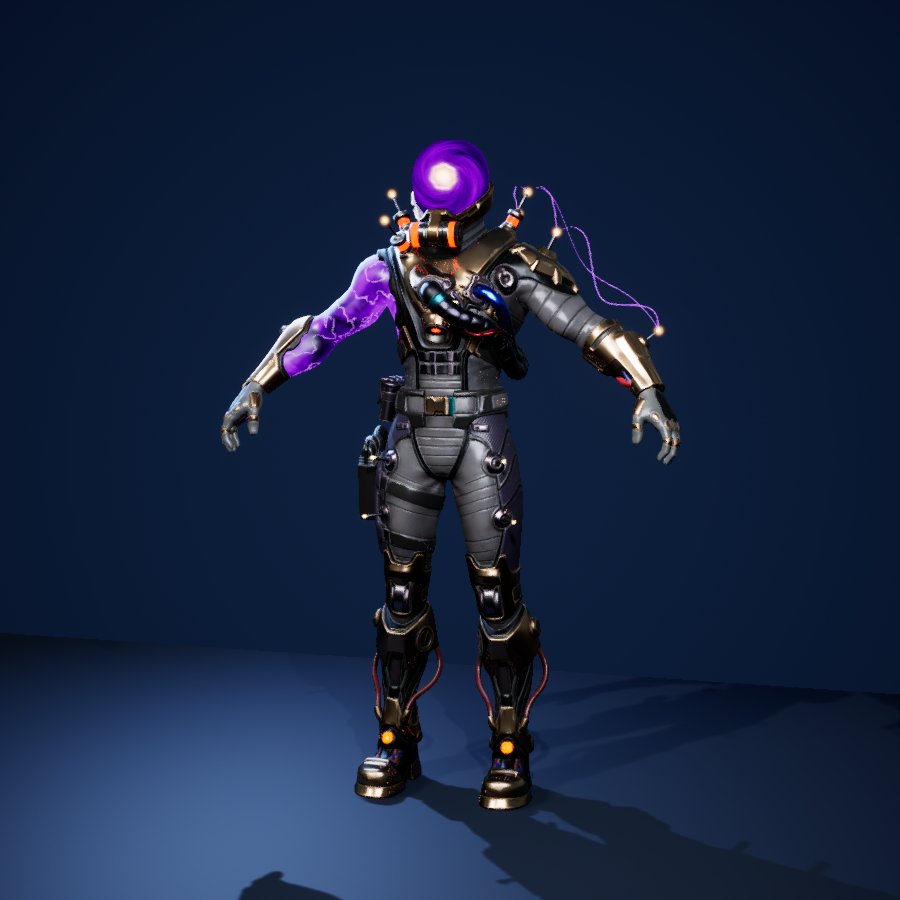
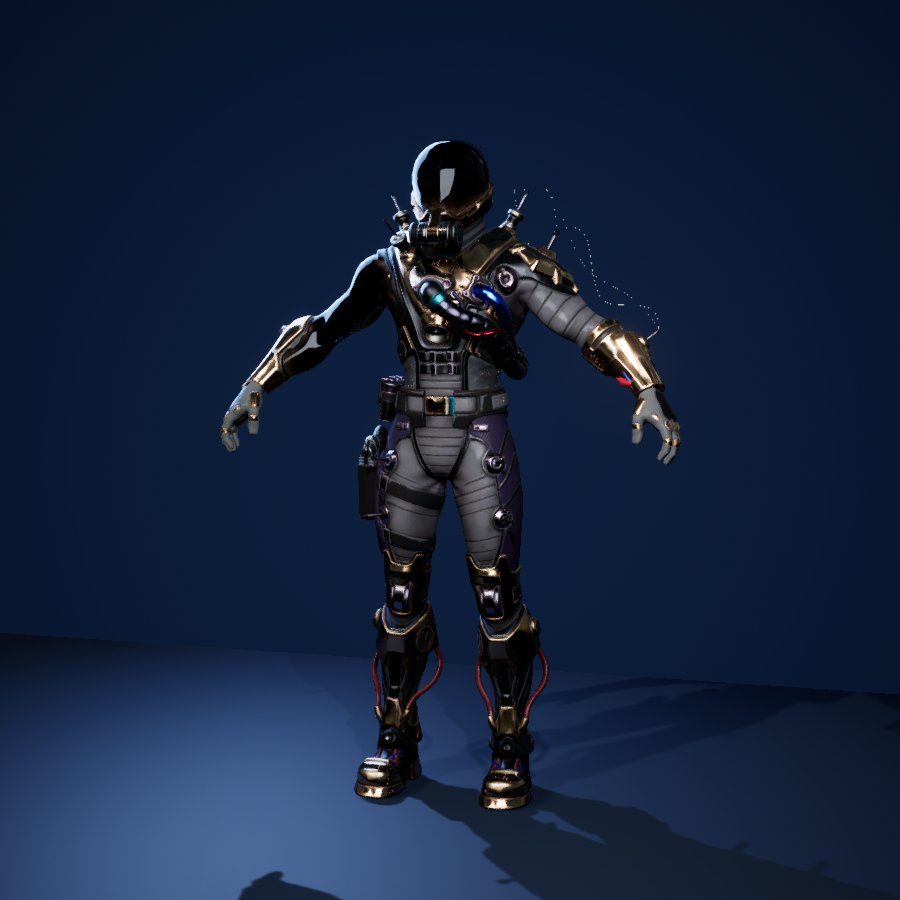
Cyclo with the rebuilt storm visor, arm and ribbons Cyclo after a default import, visor and storm effects missing Default importRebuilt

Cyclo

Storm visor

  • Noise integrated inside an ellipsoid fitted to the original head mesh: a bright core, swirling clouds and a rim glow, 24 steps.
  • Moving noise and procedural lightning on the original storm arm, guided by the exported parameters: world-aligned storm, scroll directions, lightning brightness.
  • Energy ribbons on the original spline geometry with the extracted plasma texture, scrolling, pulsing and WPO.
Grimey with ink material, face and ten souls Grimey after a default import, plain grey Default importRebuilt

Grimey

Ink souls

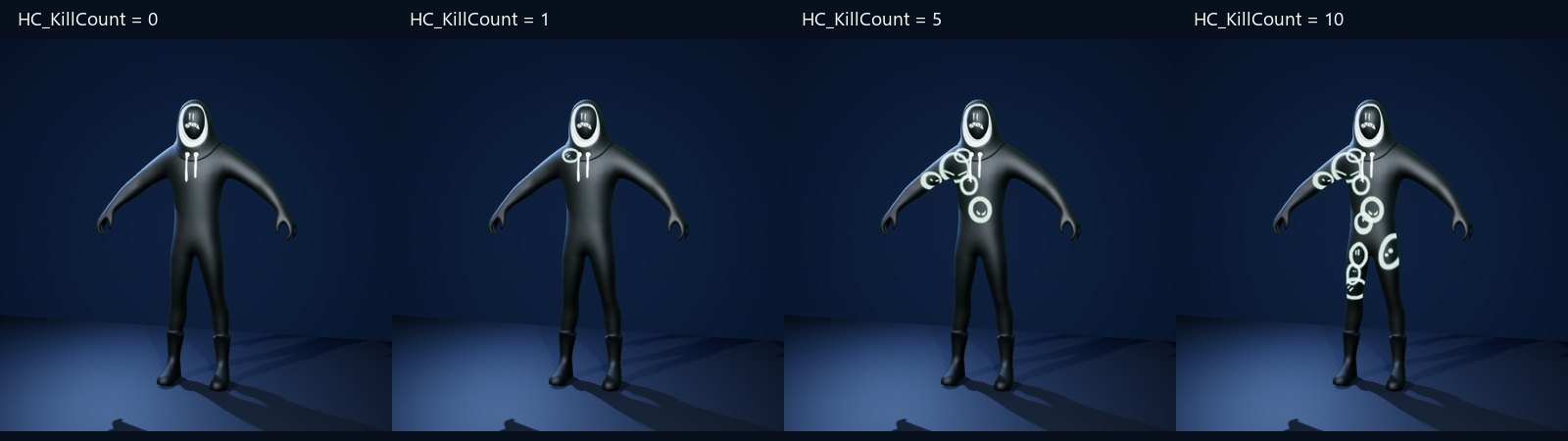
  • Ten hidden soul quads, decoded from vertex-colour payloads (breakdown below).
  • Faces taken from the original 3×3 sprite atlas and picked per soul ID.
  • The exported kill-counter parameter reveals 0–10 souls at runtime.
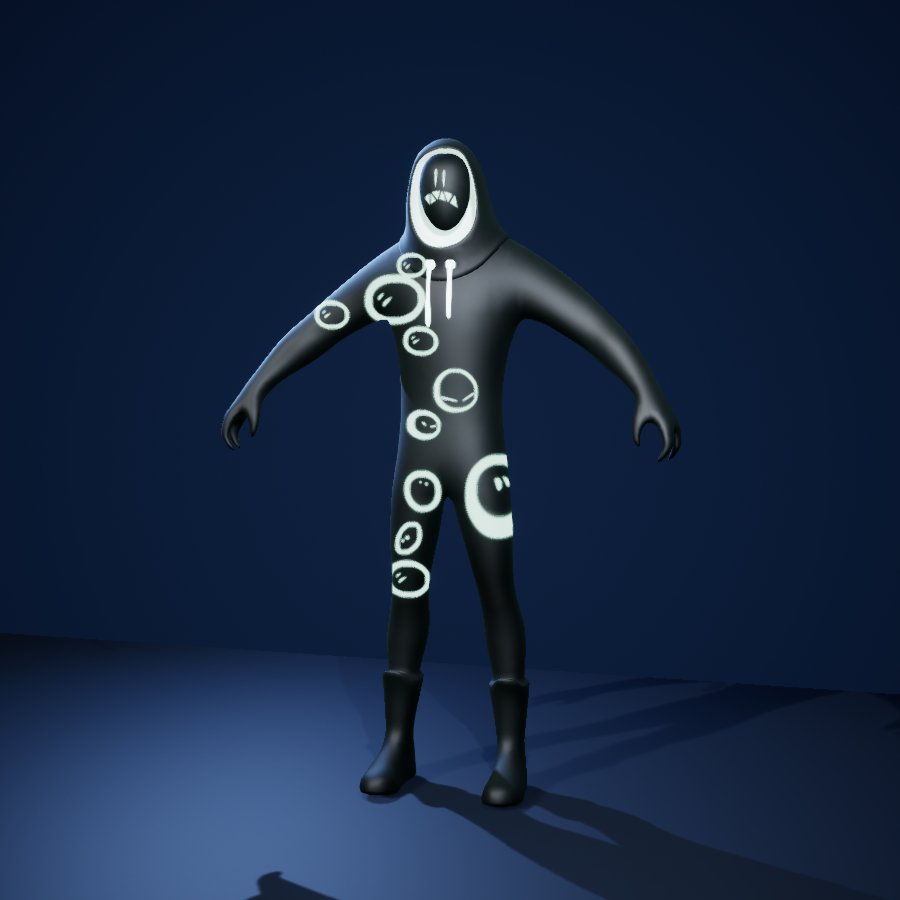
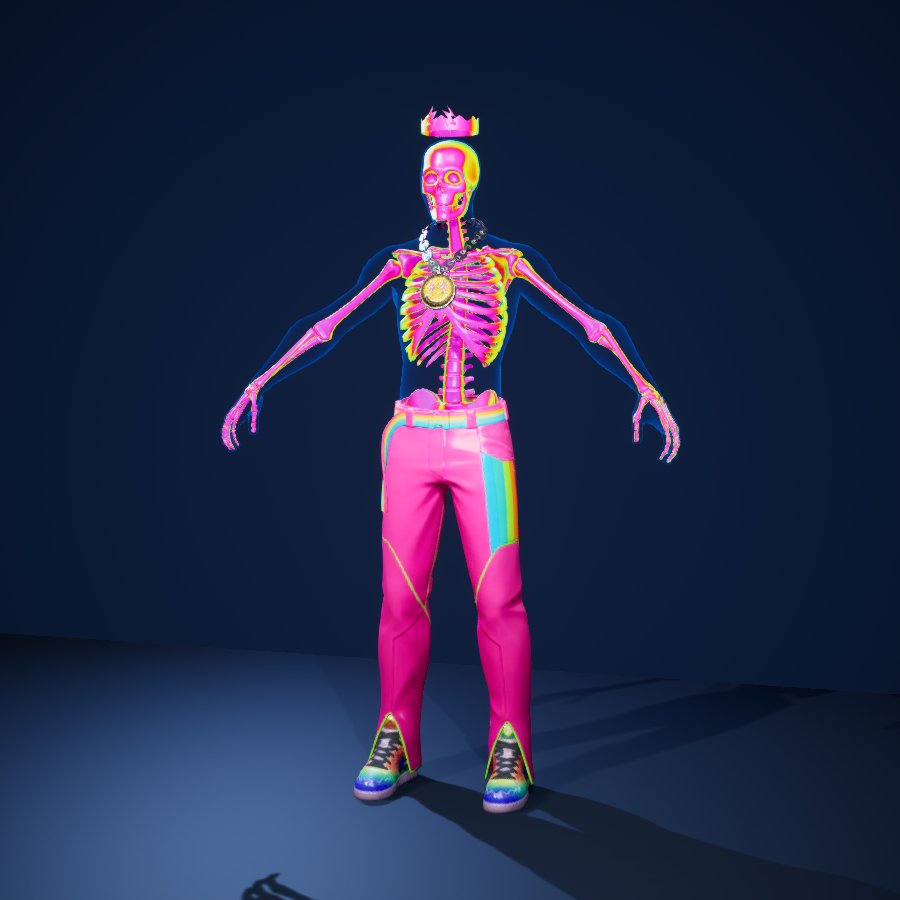
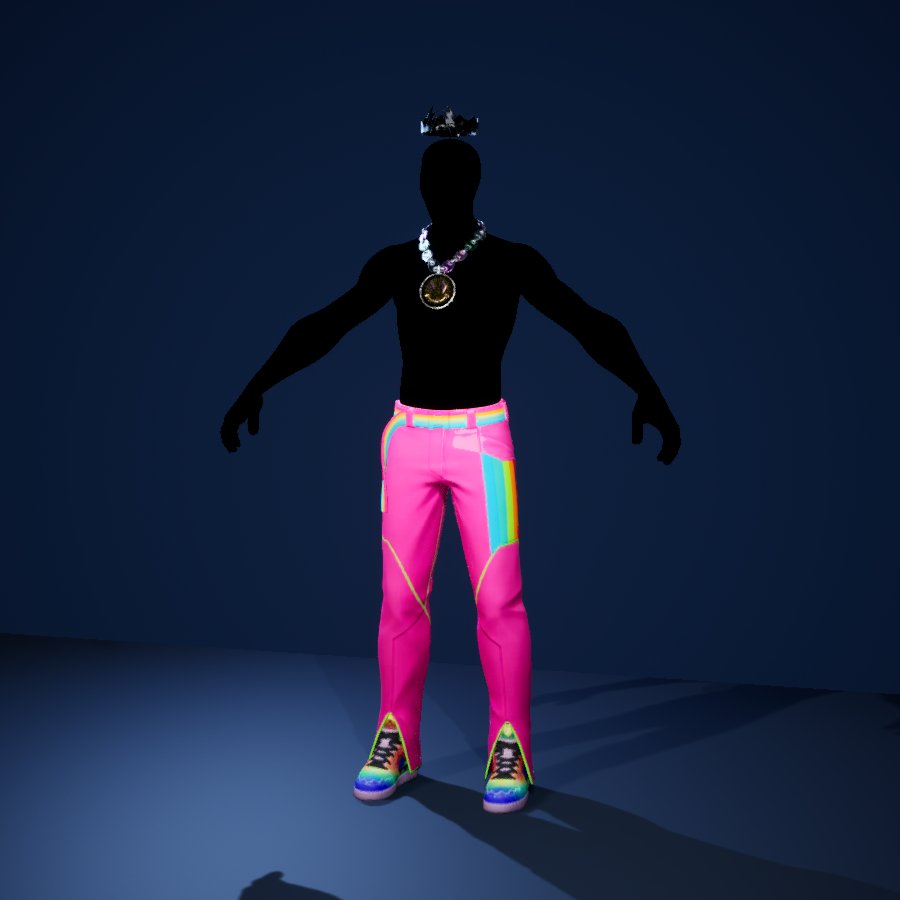
Skeleton Balvin with iridescent bones and a translucent shell Skeleton Balvin after a default import, body solid black Default importRebuilt

Skeleton Balvin

Spectral skeleton

  • The blue channel of the original skin-FX mask isolates the bones.
  • The slot named “Body_Inner” is actually the outer human shell, rebuilt as a translucent blue Fresnel rim.
  • Exported Fresnel-remap and hue-panning parameters guided an angle-dependent spectrum.

Drag a slider: default import on the left, rebuilt material on the right.

Grimey at kill count 0, 1, 5 and 10 at the same shader time
The exported kill counter at 0, 1, 5 and 10, same shader time.

Breakdown · decoding the souls

Grimey's body carries ten extra quads of about 0.05 cm each, invisible without the material. Vertex colour R stores ten IDs (25–250 of 255) and G stores five sizes.

The importer round-trips vertex colours through linear space, so the payload has to be gamma-decoded first. Without that step, the small IDs rounded to zero.

The material turns each quad to the camera, scales it by its size, picks a face from the atlas by ID and clips it with a custom stencil.

From the game, and mine

  • From the game files: meshes, skeletons, LODs, UVs, vertex colours, textures, material slots and the exposed material-instance parameters, exported with the open-source FortnitePorting tool.
  • Rebuilt by me: the material logic. Epic's material graphs are not in the export; the parameter names hint at intent, but not at the order of operations, parent defaults or curve atlases.

A visual reconstruction on the original geometry, not a pixel-exact copy of Epic's shaders. A-pose only, no bone animation; GPU cost not measured.

Source data
Original meshes, UVs, vertex colours, textures and parameters
Built with
UE 5.8 materials, HLSL in Custom nodes, Python build scripts
Checks
Verification of meshes, materials and compile stats; frame-difference check that effects animate
07

Unreal Engine 5.8 plugin · C++ · HLSL

Liquid Props

Liquid for game props: it sloshes when carried, keeps its volume when tilted, foams, bubbles and can be drunk or poured from Blueprint.

  • C++
  • HLSL
  • Thin Translucent
  • Foam & bubbles
  • Gameplay API
Liquid Props 1.0 reel. Rendered with Movie Render Queue from the plugin's runtime simulation; the tavern set uses sample art that is not part of the plugin.
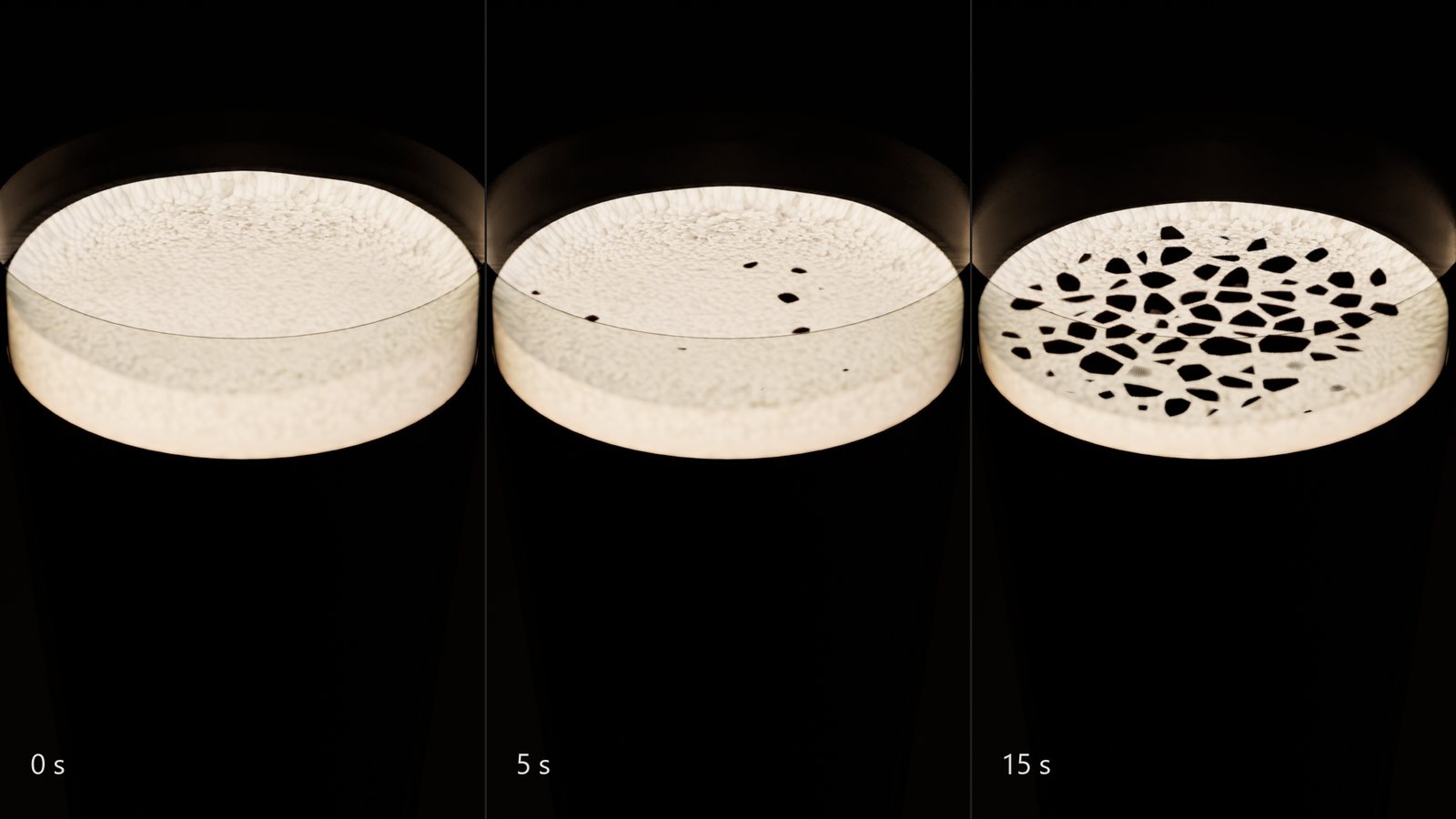
Cola foam at 0, 5 and 15 seconds: full head, first holes, a lace with a ring at the glass
Foam collapse after a shake: the head opens from the centre into a lace and holds longest at the glass.
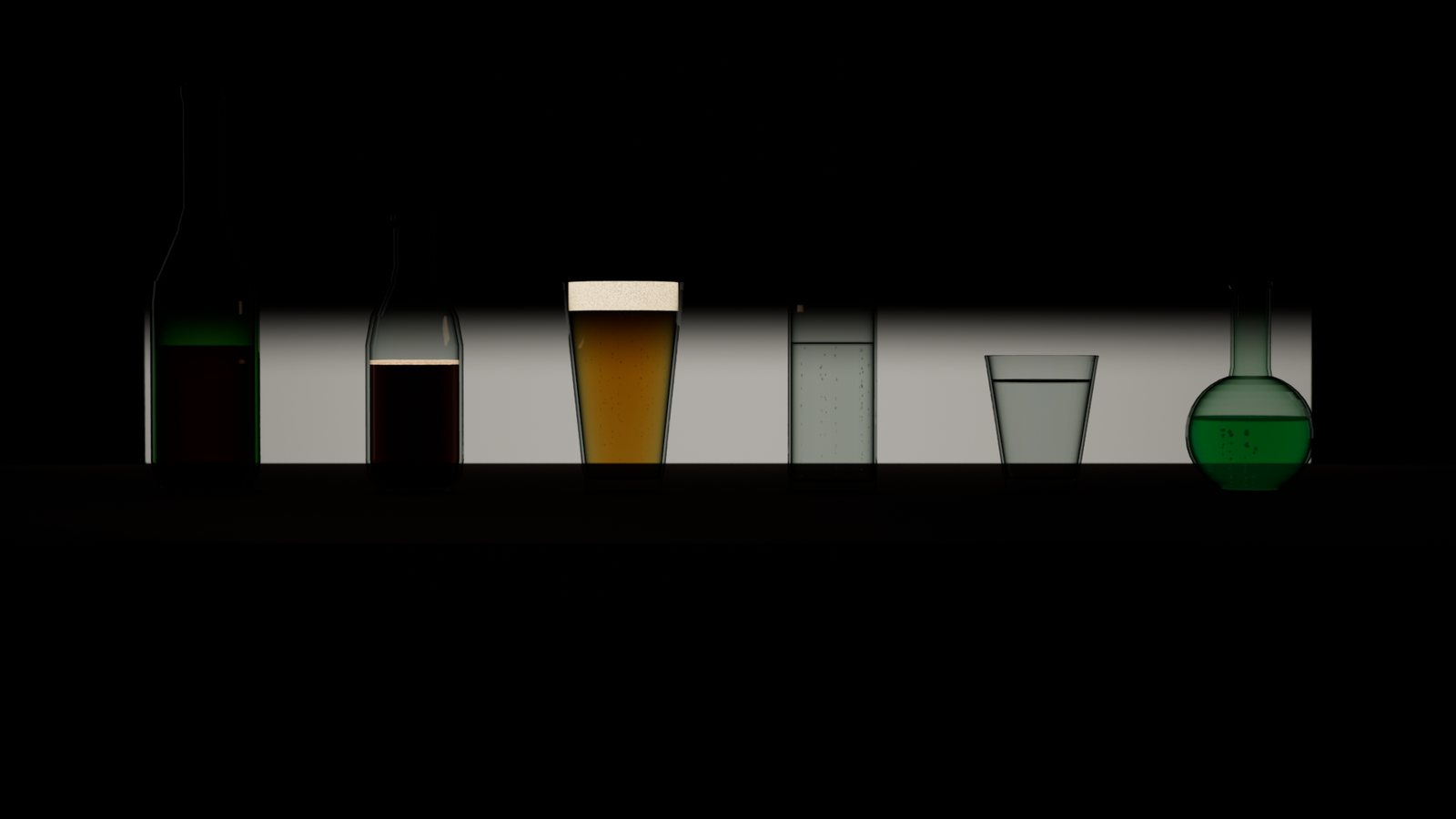
Wine, cola, beer, sparkling water, still water and a potion on a backlit counter
Six presets at real-world size; colour comes from light absorbed along the path through the liquid.
A glowing green potion in a round flask on a dark counter
Glowing potion with bubble chains; glass edges come from studio strip lights.

Approach

  • The free surface is a plane clipped against the container's inner volume and solved so the liquid keeps its volume under any tilt. Slosh frequency follows the first mode of the real container.
  • Glass and liquid use Thin Translucent shading with refraction. The liquid's colour is computed from the light path through it, so thick parts are deep and edges light.
  • Foam builds from motion, pouring and carbonation and breaks up into a lace in the material; bubbles rise in chains from nucleation sites and grow as they go.
  • A gameplay API (drink, pour, shake, knock, on-empty event) makes the liquid part of the game, not only decoration. Settled containers sleep.

From portfolio study to product

The first version was a portfolio study at four to five times real size with unlit liquids. Version 1.0 rebuilds the glass, liquid shading and foam, adds real-scale presets and a source-only package that builds cleanly for Fab.

Connection

The performance case came from this project: the Companion localized the foam-mesh rebuild that dominated the game thread in a dense scene of these props.

Scope: containers are surfaces of revolution with a closed volume; no pouring out or fluid simulation. The reel uses a fixed simulation step and is not a frame-rate claim.

Built with
C++ runtime module, HLSL materials, Blueprint API
Engine
Unreal Engine 5.8.2, DX12 SM6, Lumen
Artist kit
6 presets, 7 container shapes, 3 example maps
Status
1.0, Fab release in preparation
08

Editor tools · Unreal Engine 5.8

Pipeline tools

Smaller tools for the same goal: problems found where content is made, with a report the artist can act on alone.

Available on Fab · v1.1

Blueprint Logic Scanner

Exports Blueprints, materials, data tables, curve tables, enums and structs to JSON, Markdown and a compact text summary, with a cross-reference pass between them. Used for reviews, documentation and AI-assisted debugging; nothing is sent anywhere automatically. A headless commandlet runs batch scans.

v1.1

Project Audit

Collects budget and naming violations in one list: texture size and memory, power-of-two, vertex and triangle limits, asset prefixes. Profiles are shareable files, the scan never modifies assets, and every row opens the offending asset. Exports a PASS/FAIL report.

v0.1 beta

Material Batch Studio

Creates or updates material instances from imported texture sets in one pass. Every change and error is previewed per set before anything is written; skip and update policies protect existing work.

v0.3

SurfaceFusion

One master material for rock, ground and concrete. Texture scale, moss, dirt, wetness, snow and ground contact are instance parameters, with 10 presets and 10 material functions. Plugs into Weather Dynamics so surfaces react to the current weather.

09

Gameplay programming · Unreal Engine 5 · 2024–2025 · presentation edition 2026

Death Struggle

A top-down action shooter, contract work for Dmitry Parkin. In 2024–2025 I built the game around art from other artists: gameplay and systems design, C++ and Blueprints, enemy AI, UI and input. In 2026 I rebuilt its presentation: a new arena, licensed characters on the original systems, combat feedback and one UI style.

  • C++
  • Blueprints
  • Gameplay Ability System
  • Behavior Trees · EQS
  • UMG
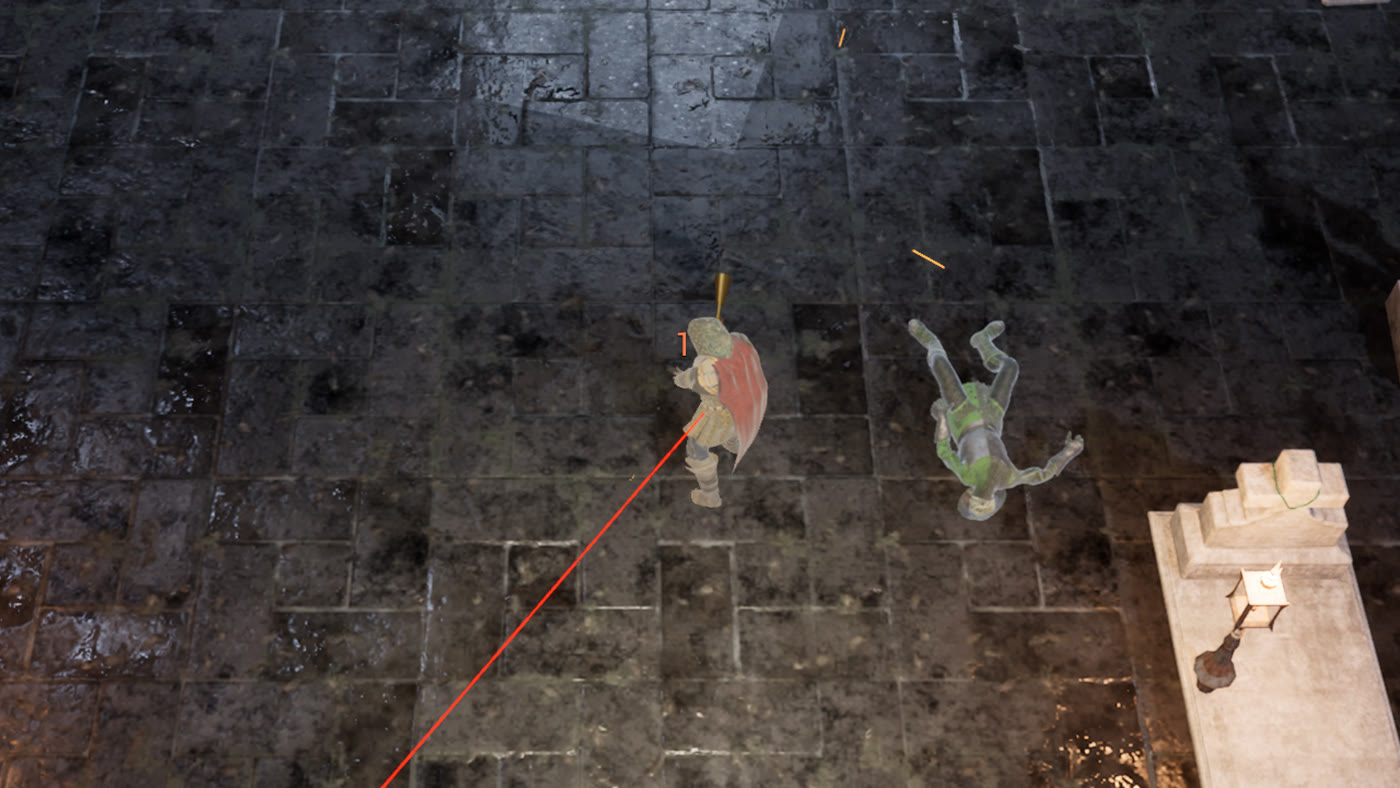
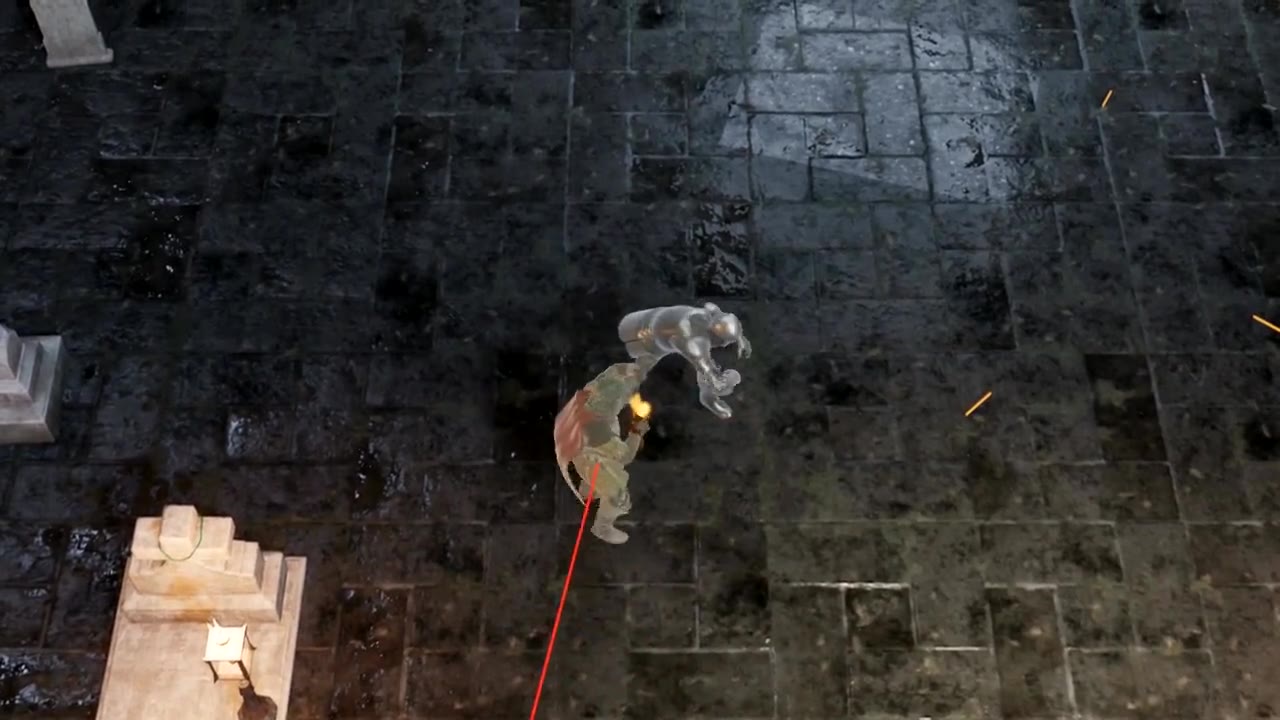
The red-cloaked hunter fighting a skeleton in the cemetery arena
Combat in the 2026 presentation arena, captured in Unreal Engine.
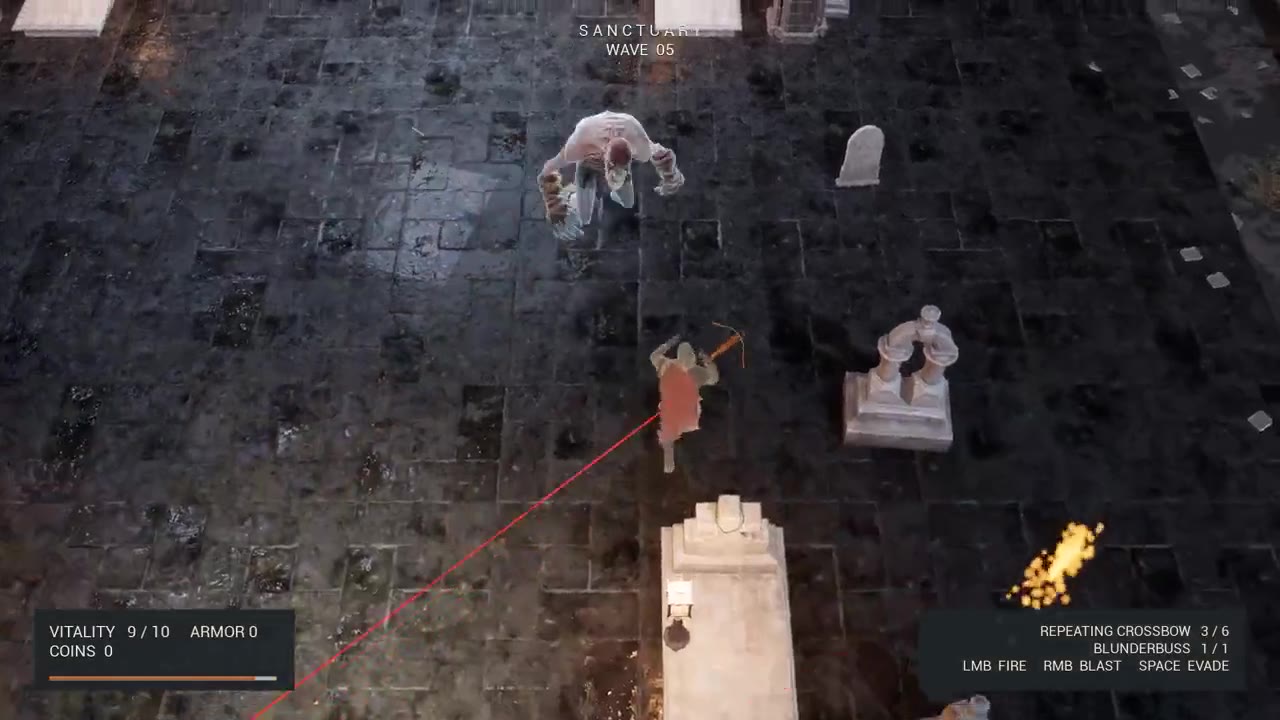
The hunter facing a Bloat in the cemetery arena, with the combat HUD visible
The Bloat encounter and combat HUD, built on the original abilities and enemy AI.
6enemy archetypes with their own AI: skeleton, armoured skeleton, kamikaze, Bloat, spider, sniper
9perks in the upgrade store, levelled through Curve Tables and kept in local saves
8gameplay actions the player can remap, built on Enhanced Input
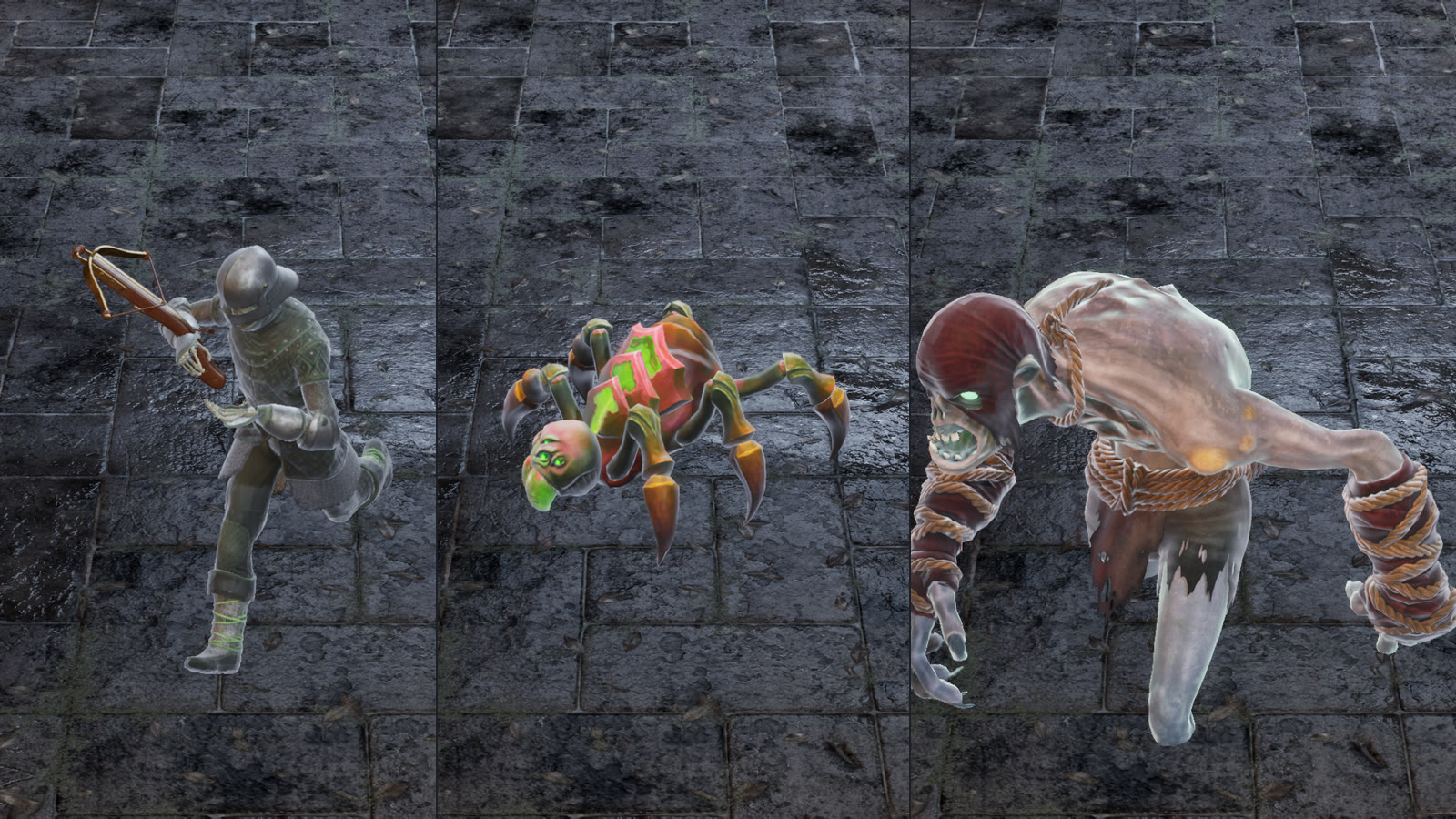
A crossbow skeleton, a spider and a kamikaze ghoul
Enemy roster, 2026: licensed characters retargeted onto the original AI, combat states and animation notifies.
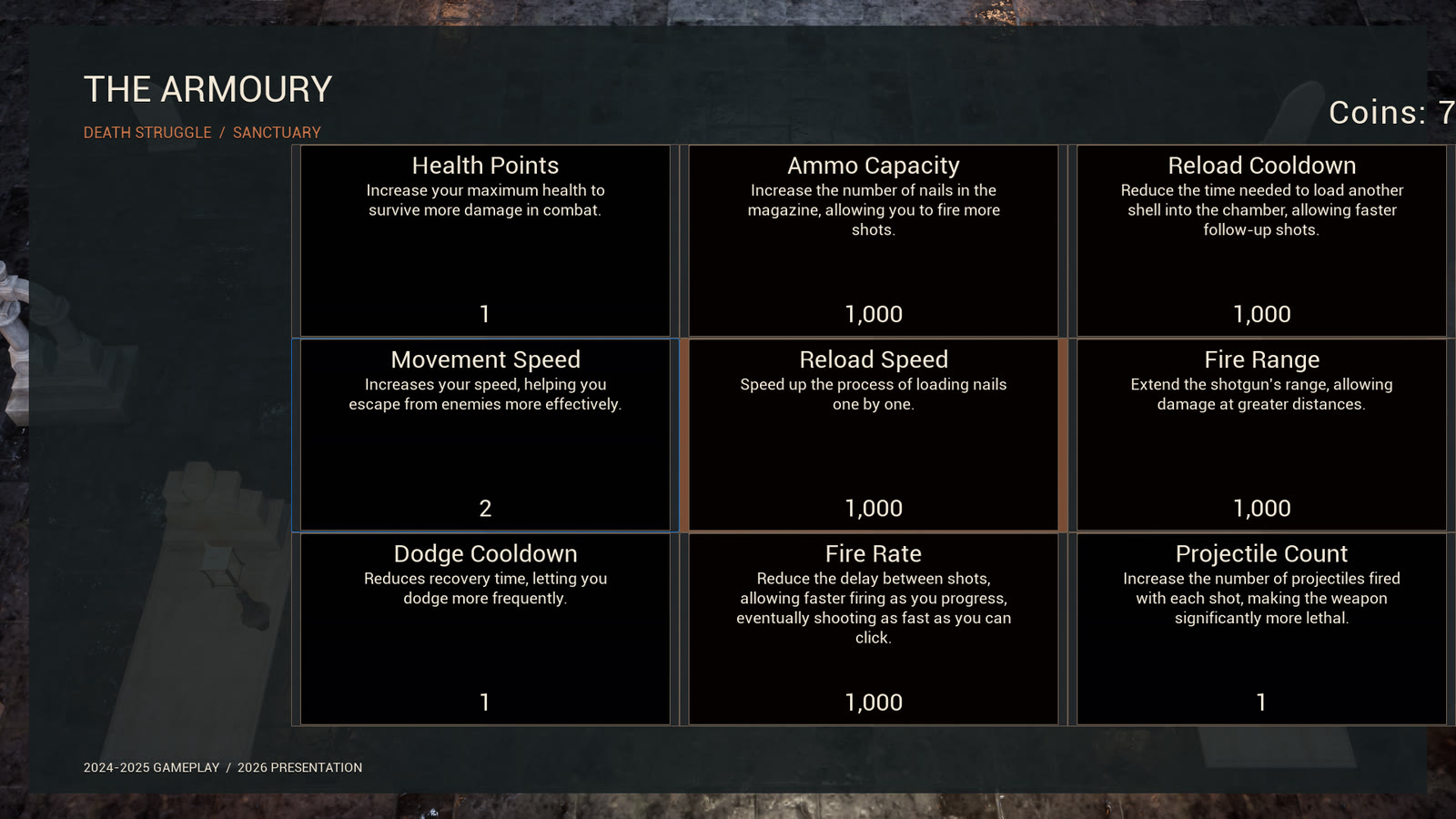
Upgrade store with nine perks
Upgrade store: nine perks bought with coins; purchases persist between sessions. Restyled in 2026.
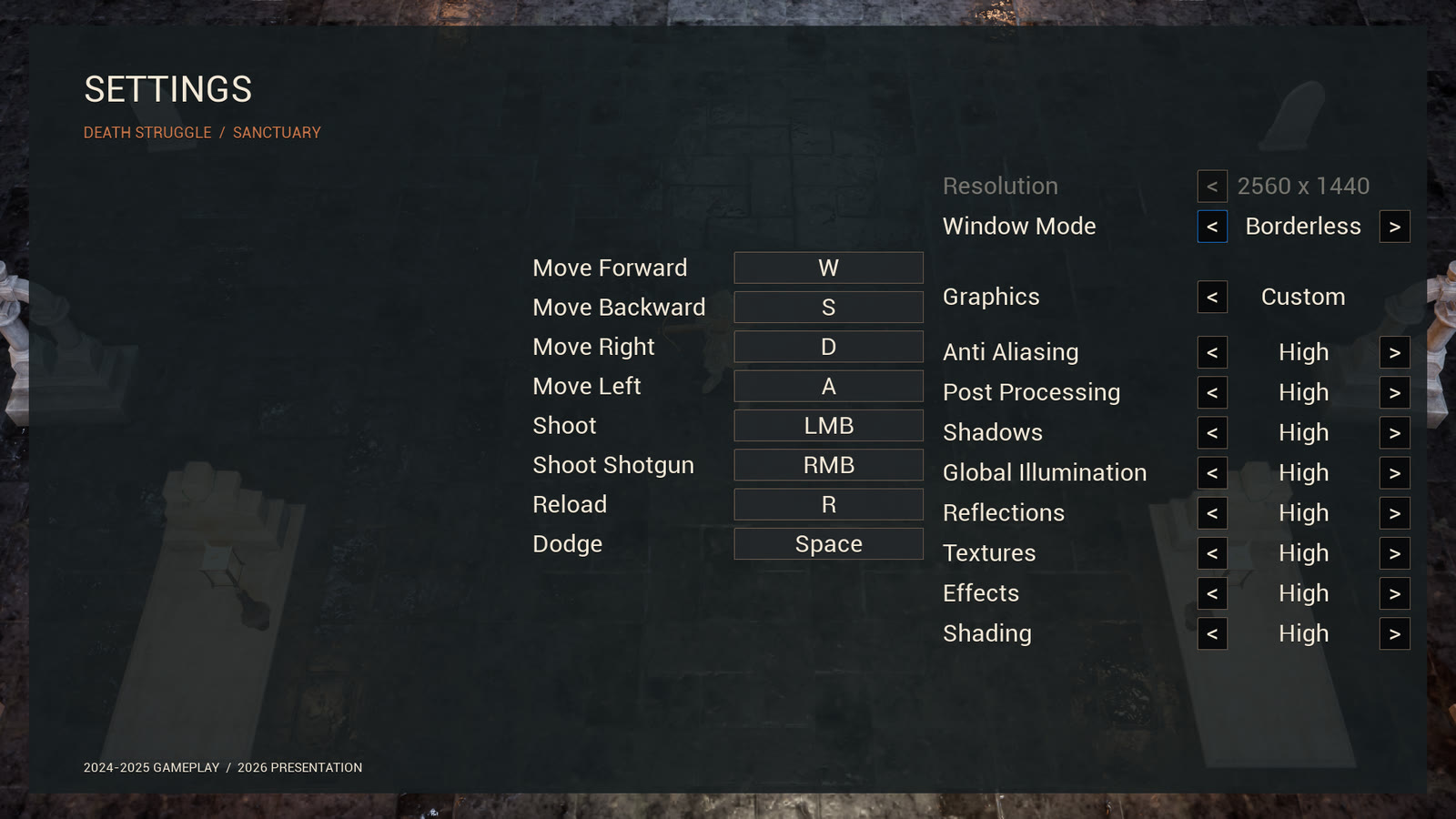
Settings menu with key remapping and graphics options
Settings: key remapping next to window and graphics options, in the 2026 UI style.

Three systems, end to end

01Encounter

  1. Data Table rowEnemy class and level, spawn rate, start delay, total count and active-enemy limit.
  2. Wave managerReads the table and creates one spawner per row.
  3. SpawnerPauses at its active limit and resumes as enemies die. The enemy's level sets its starting attributes.
  4. Game-state eventsDeaths and finished spawners advance the wave. Pacing changes in data, not in code.

02Attack

  1. Enhanced InputA remappable action, on keyboard or gamepad, activates the ability.
  2. Gameplay AbilityNailgun or shotgun fire. Gameplay Tags track states such as reloading and dodging.
  3. ProjectileWeapon stats live in the attribute set, so store upgrades change them.
  4. Gameplay EffectDamage changes health and armour; AI reactions and death sequences follow.

03Quest feedback

  1. Quest eventGameplay publishes an event with ID, state, progress, text and presentation data.
  2. Notification subsystemC++. Turns each event into a notice with priority and presentation data. The HUD subscribes to it.
  3. RulesPriority, duplicate suppression and a bounded history. Messages wait until a cinematic ends.
  4. UMGWidgets present the message through Blueprint events, separate from the rules.

Role

Dmitry Parkin led the project and brought in the art: models, animations and effects came from other artists and third-party content. I built the game around them: gameplay and systems design, the C++ and Blueprint code, enemy AI, UI and input, and the integration of every supplied asset.

Systems

  • Encounters. A wave manager and spawners configured from Data Tables. Enemy level feeds attribute initialisation, so one archetype serves several points of the progression.
  • Combat and progression. Gameplay Ability System with C++ attribute sets for health, armour, movement, level, weapon stats, dodge and currency. Abilities for nailgun and shotgun fire, reload, dodge and enemy attacks. A perk store on Curve Tables with local save data.
  • Enemy AI. Behavior Trees, Blackboards, AI Controllers and reusable tasks. Ranged enemies share tracking, turning, firing and cooldown logic; the spider positions itself with EQS. Visual warnings for the Bloat's explosion and the sniper's laser.
  • Quests and feedback. Quest scenarios and the C++ pipeline that turns quest events into on-screen messages.
  • Menus, input and flow. HUD, main and pause menus, store, enemy glossary, graphics options and key remapping. Moved input to Enhanced Input and added gamepad support. Intro flow, collectible ability unlocks, and the first chapter's encounters and quests.

Presentation edition, 2026

  • Look. A moonlit cemetery arena with new lighting and camera. Characters sit on their own lighting channel so they read against the ground.
  • Characters. Licensed models retargeted onto the original abilities, with montage and notify timings kept. The hero is merged into one skeletal mesh with three LODs. The Bloat swells through bone scaling in a post-process Anim Blueprint, and its veins glow from the state of the real explosion ability.
  • Feel. Input buffering for dodge and reload, hit-stop and camera shake tuned in a Data Asset, soft aim assist for gamepad only.
  • UI. HUD, menus, store and settings rebuilt in one style over the live arena, with damage numbers as real widgets.
  • Budget. The packaged build at 1080p High runs at 74 fps with eight enemies on screen; p95 frame time is 14.9 ms.

Development is paused and the game is unreleased. The captures show the 2026 presentation edition: one arena from the preserved prototype, played through scripted input on the real ability chain, with the hero's health floored for the recording.

Role
Gameplay programming and systems design: everything except art, models and animation
Credit
Contract work for Dmitry Parkin, 2024–2025. Presentation edition 2026
Engine
Unreal Engine 5, C++ and Blueprints
Period
2024–2025; presentation edition 2026
Status
Prototype, development paused

Open to Technical Art roles · relocation

Let's build worlds that hold their budget.